Cafes & coffee shops

Your customers should not have to hover by the machine to know if their order is ready.

Live order status for busy cafe counters, from order received to ready for pickup.

No app for customers. Ready in 60 seconds.

At a glance

What QRdy does for a cafe

QRdy for cafes gives every customer a live order status page from the moment they order. A QR code at the counter links to a page that updates from order received to being made to ready for pickup, so customers can sit down, wait outside, or keep talking without crowding the handoff point.

Why it matters

A cleaner handoff bench and a calmer front-of-house

Cafes get crowded around the handoff bench when customers have no way to know when their order is ready. QRdy gives every order a live page so customers stay at their table or nearby and come up only when it is time.

Reduce crowding at the coffee handoff bench
Replace name-calling with a phone notification
Keep customers informed from order to ready
Use your own order stage names

The real problem

Customers are not just waiting for coffee. They are watching the bench because they have no other signal.

Cafe rushes create the same friction every day. A customer orders a flat white and cabinet food, then stands near the machine because they do not know whether it will be ready in two minutes or ten. Another customer keeps glancing up from their table because they are worried they will miss their toastie. Staff call names over steam wand noise, music, and conversation, then repeat themselves when nobody hears. QRdy gives every order a live status page the customer can check on their own phone. Order received, being made, ready for pickup - each stage is a quick tap from your team and instantly visible to the customer. That means less crowding around the handoff bench, fewer repeated questions, and a calmer front-of-house flow during the busiest part of the day.

How it works

From order to ready at the bench

The customer orders, scans the QR at the counter, and their live order page is open before they sit down. Your barista or kitchen taps through each stage and the customer checks the page instead of watching the bench.

1

Order received

Customer scans the QR at the counter or gets the link with their order.

No app. No account. The order is tracked from the moment it is placed.

2

Being made

Barista or kitchen starts the order. The current stage is visible live.

Customers who can see the order is being made stop hovering at the bench.

3

Almost ready

Optional step for larger or more complex orders.

Useful for food orders or when multiple coffees are being made at once.

4

Ready for pickup

Customer sees it is ready and comes to the handoff point at the right time.

No names called over steam wand noise. Just a smooth, quiet handoff.

What your cafe and customers see

A live order page for customers and a calmer handoff for your team

The dashboard shows your team every active order and its current stage. The live page gives each customer a real-time update so the handoff bench stays clear and the experience feels organised.

QRdy dashboard showing active jobs, current step, next step, and one-tap update buttons.

Dashboard

A simple workspace for the barista or kitchen running the orders

Staff can see every active order and tap through stages in one place, keeping the handoff smooth without calling names across a noisy cafe.

Customer-facing live page

Give customers clear updates from order received to ready at the bench

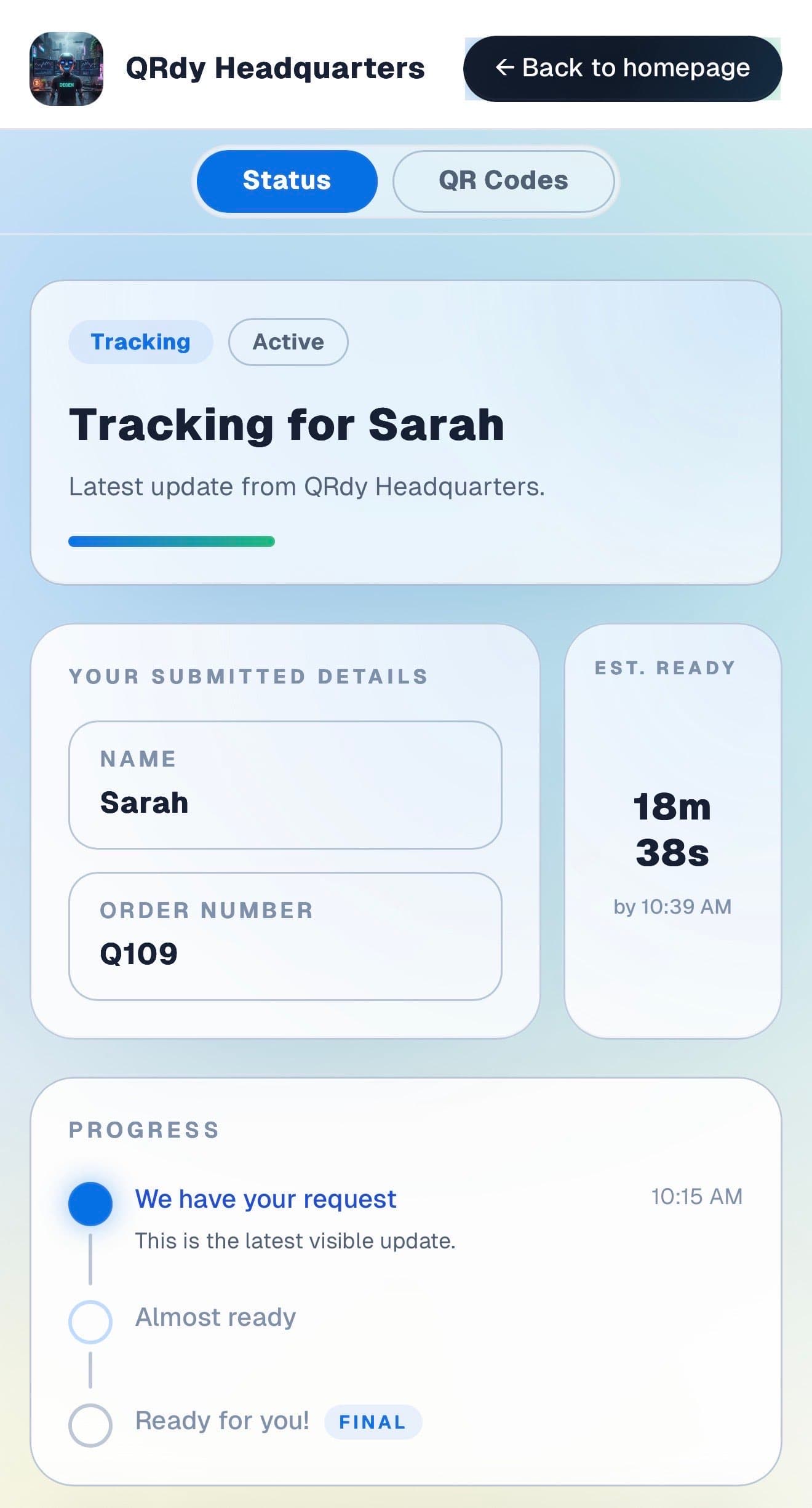
Customers want to know when their order is ready without hovering or constantly glancing up. The live page gives them that from wherever they sit.

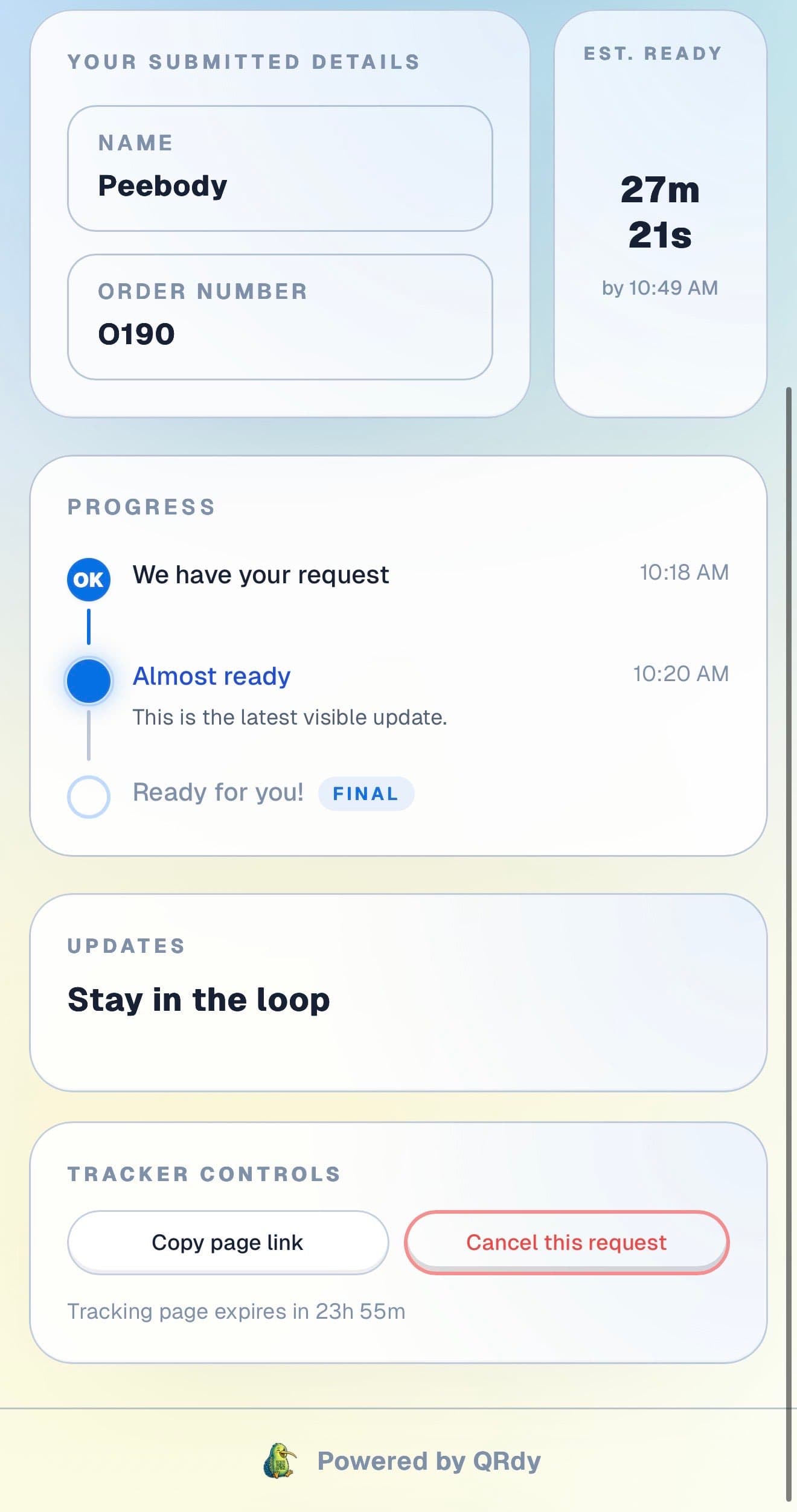
Customer tracking page showing the current job status, submitted details, and ETA.

Active tracker

The customer sees their order status without checking the bench

The live page shows the current stage and order details so customers can sit down and check their phone when curious rather than watching the machine.

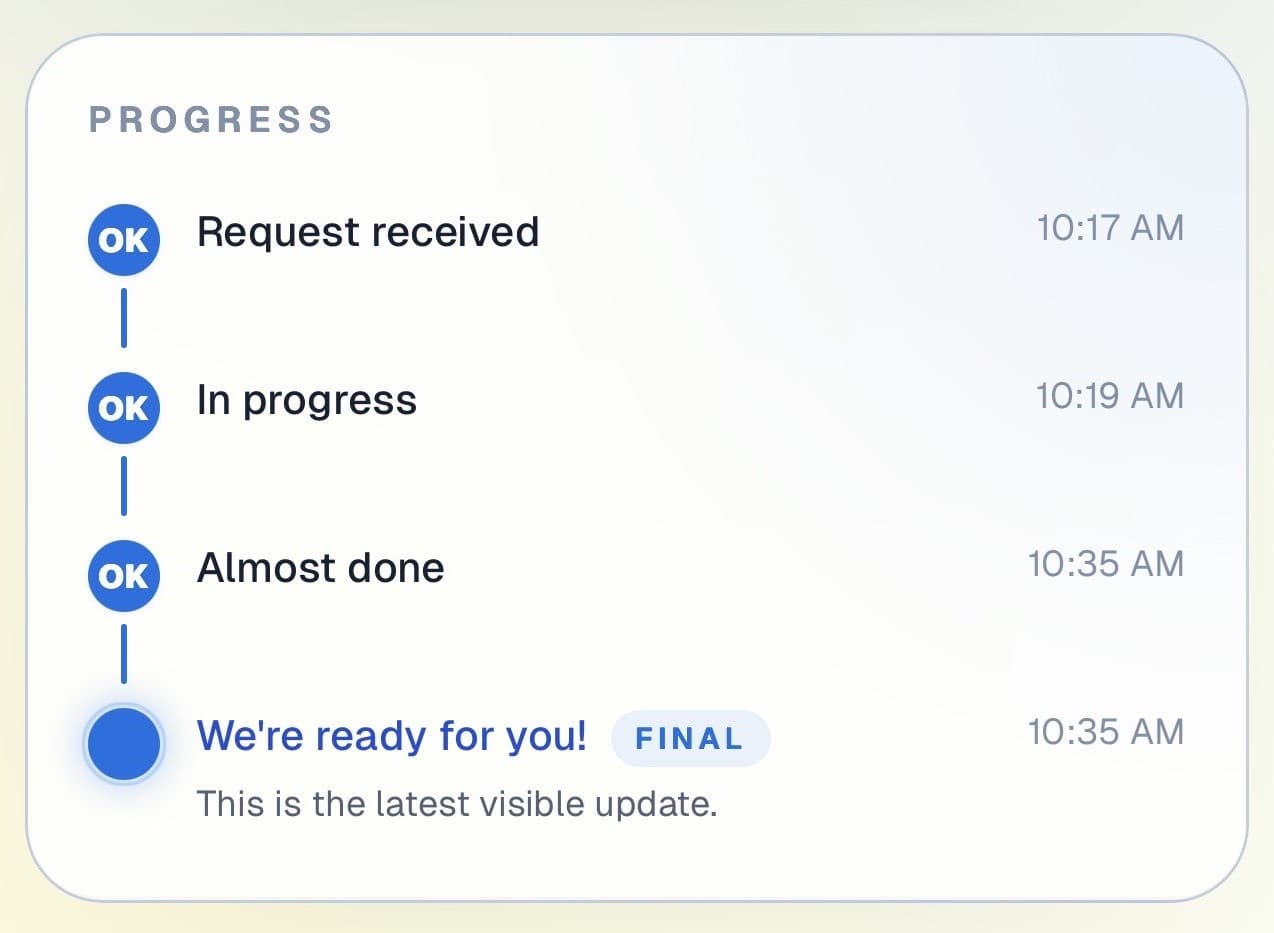
Customer progress timeline showing completed steps and the current live update.

Progress timeline

Each step of the order is visible in real time

Customers can see when their order was received and when the barista started it. That visibility removes the impulse to hover near the handoff point.

Progress timeline showing each stage with timestamps.
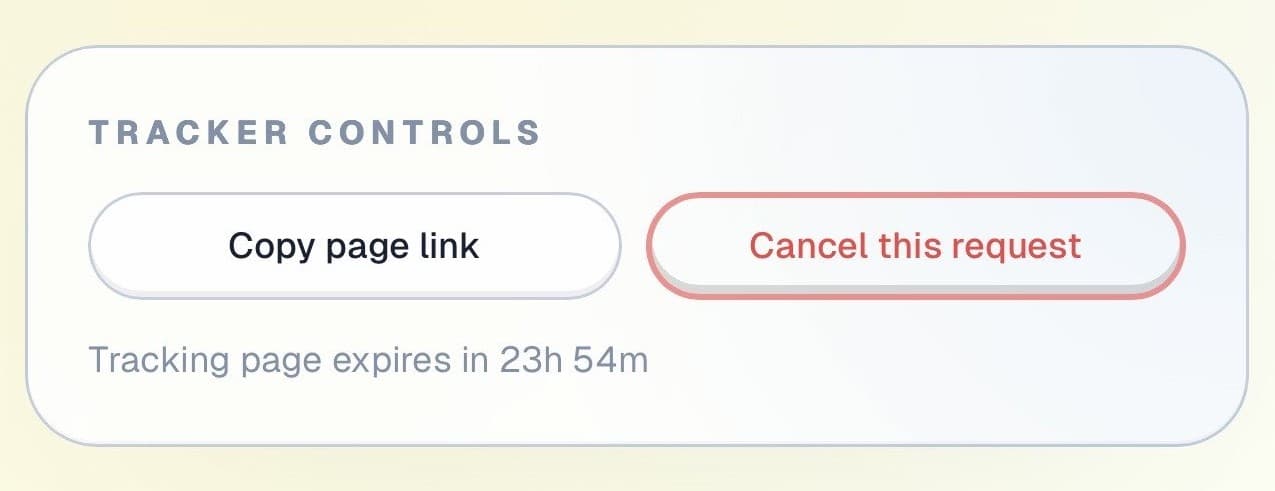
Tracker controls showing copy link and cancel request actions.

Controls and sharing

The page works for dine-in and takeaway equally

Customers can copy their tracking link or cancel if plans change, all without interrupting the counter team.

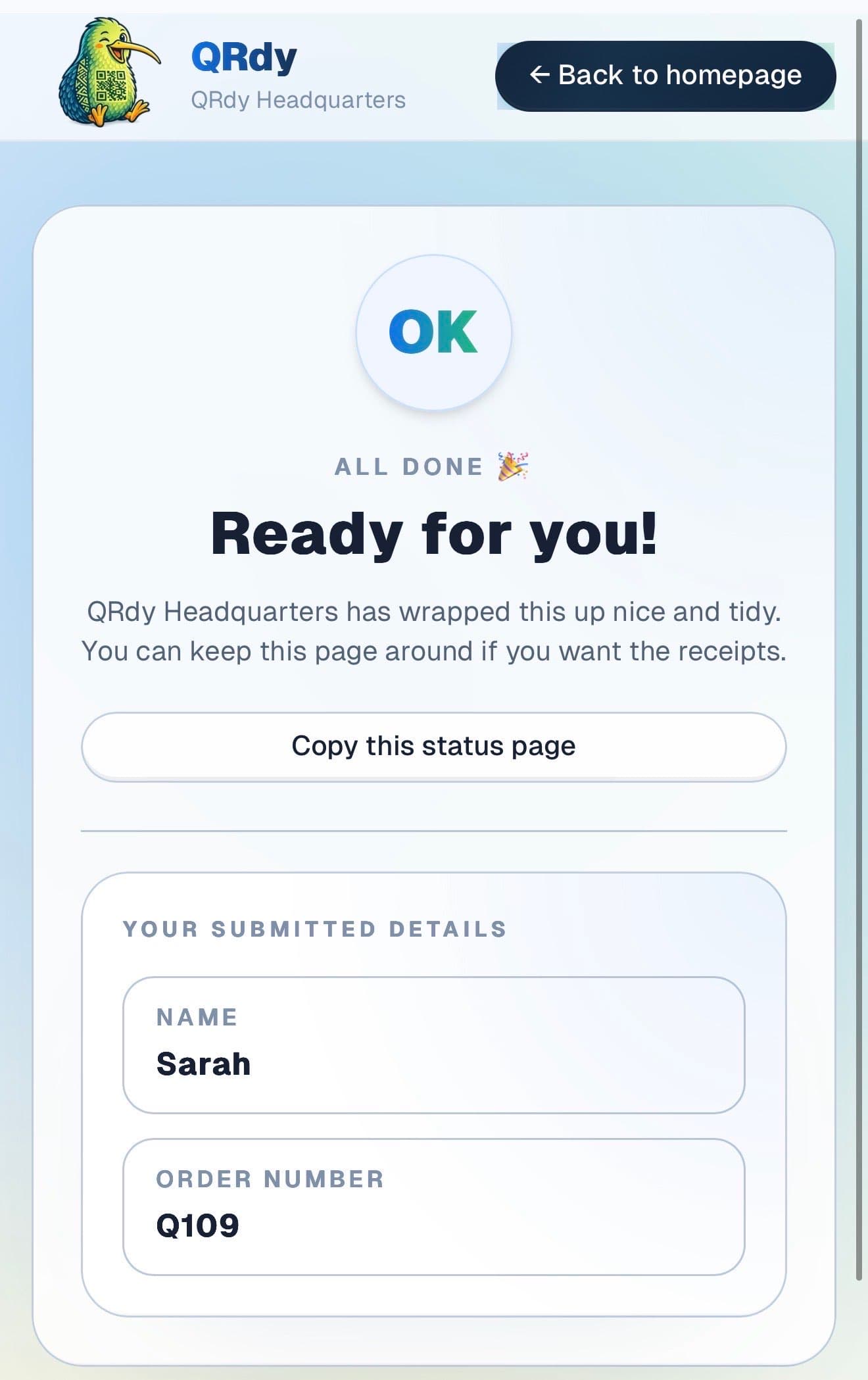
Completed tracker showing the finished state and a link the customer can keep.

Completed state

Ready orders look ready

When the order is done, the page switches to a clear ready state so the customer walks up at exactly the right moment and the bench stays clear.

Custom to your workflow

These stage names are examples, not a fixed template

QRdy lets you name each stage to match how your cafe operates. You might use order received, being made, and ready. Or add a food-ready stage for table service orders alongside takeaway coffees.

Rename stages to fit your cafe workflow
Keep it simple for coffee-only orders
Add stages for food orders or complex drinks
Make the handoff feel smooth without shouting names

Why QRdy

Simple for your team. Reassuring for your customers.

  • No app download for customers
  • Works on any phone with a browser
  • Staff tap one button to update status
  • Customers get a live page, not a phone call
  • Set up and running in under 60 seconds
  • Push and WhatsApp notifications on paid plans

Common questions

Frequently asked questions

How does QRdy work for a cafe or coffee shop?

When a customer places an order, they scan a QR code at the counter and get a live order page linked to that specific order. Your team taps through simple stages such as order received, being made, and ready for pickup. The customer checks their phone instead of watching the barista bench or waiting for their name to be called over cafe noise. It works for coffee-only orders, food orders, or mixed cafe orders with multiple components.

Does this replace name-calling in a cafe?

Yes. QRdy can replace or reduce name-calling by giving customers a live status page on their own phone. That is especially useful in cafes where background noise, steam, and crowding make verbal handoff messy. Instead of repeating names several times or having customers gather around the machine, the customer simply checks when the page shows ready and walks up at the right moment.

Do customers need to download an app to track their cafe order?

No. Customers scan the QR code and the live order status page opens directly in their browser. There is no app download, no account, and no signup required. That matters in a cafe environment because the process has to stay quick and low-friction. A scan and a glance is all it takes.

Can this work for both dine-in and takeaway cafe orders?

Yes. Dine-in customers can sit down and check the page from their table. Takeaway customers can wait outside, stay in the queue area, or step away briefly without worrying they will miss their order. The same QR code and the same workflow work for both types of orders, so your team does not need separate systems for dine-in and takeaway handoff.

Less counter crowding. Smoother handoff. Happier cafe customers.

Get started free - no credit card, no software to install. Your first tracker is ready in under a minute.

Create a free tracker now

Running a business? Set up your business account

QR Order Status Updates for Cafes & Coffee Shops - QRdy