Courier & parcel pickup

Customers want to know where their parcel is. Now they can.

Live pickup status from request received to collected, without the phone tag.

No app for customers. Ready in 60 seconds.

At a glance

What QRdy does for a courier or parcel pickup service

QRdy for courier and parcel pickup businesses gives every customer a live status page for their job from request to collected. Your team taps through each stage as the driver moves through the schedule, customers track their pickup like a delivery rather than waiting by the phone.

Why it matters

Real-time tracking instead of a vague collection window

Pickup windows are too wide to plan around and customers end up missing the driver or waiting at home all day. QRdy gives every job a live page so customers can track progress and be ready at the right moment.

Reduce missed pickups from vague time windows
Keep customers informed as drivers progress through their schedule
Make the collection process predictable
Use your own pickup stage names

The real problem

Customers are not just waiting for a pickup. They are trying to plan around a window that is too wide.

Courier and pickup customers deal with a consistent frustration: the window is too wide to plan around. The driver is coming between 9 and 5. Or between 9 and 1. Or "this afternoon." Customers end up either waiting at home all morning or missing the driver entirely and rescheduling. QRdy gives every pickup job a live status page that updates in real time. Request received, driver assigned, en route, nearby, collected, each stage is one tap from your team and immediately visible on the customer's phone. They can get on with their day and watch the status as the driver gets closer. No wasted hours waiting in. No missed pickups because the customer stepped out at the wrong moment. A clear, live status they can act on rather than a vague window they have to guess within.

How it works

From request received to collected

The customer submits a pickup request and scans the QR code. Your team taps through each stage as the driver moves through the schedule and the customer tracks progress in real time.

1

Request received

Customer submits pickup. Live page created instantly.

No app. No account. Tracking is live from the moment the request is confirmed.

2

Driver assigned

Status updates. Customer can see it progressing.

Seeing a driver assigned removes uncertainty about whether the request has been actioned.

3

Driver en route

One tap and the customer knows to be ready.

Especially useful for customers who need to stay home or prepare items for handover.

4

Collected

Job marked done. Customer has a clear record.

A clean, professional close to the job with no loose ends.

What your operation and customers see

A live pickup page for customers and a clear job view for your team

The dashboard shows your team every active pickup and its current stage. The live page gives each customer real-time progress without them needing to call to ask where the driver is.

QRdy dashboard showing active jobs, current step, next step, and one-tap update buttons.

Dashboard

A clear workspace for the team coordinating pickups

Staff can see every active job, update each pickup stage with one tap, and let the page handle customer communication while drivers focus on the schedule.

Customer-facing live page

Give customers clear updates from request received to collected

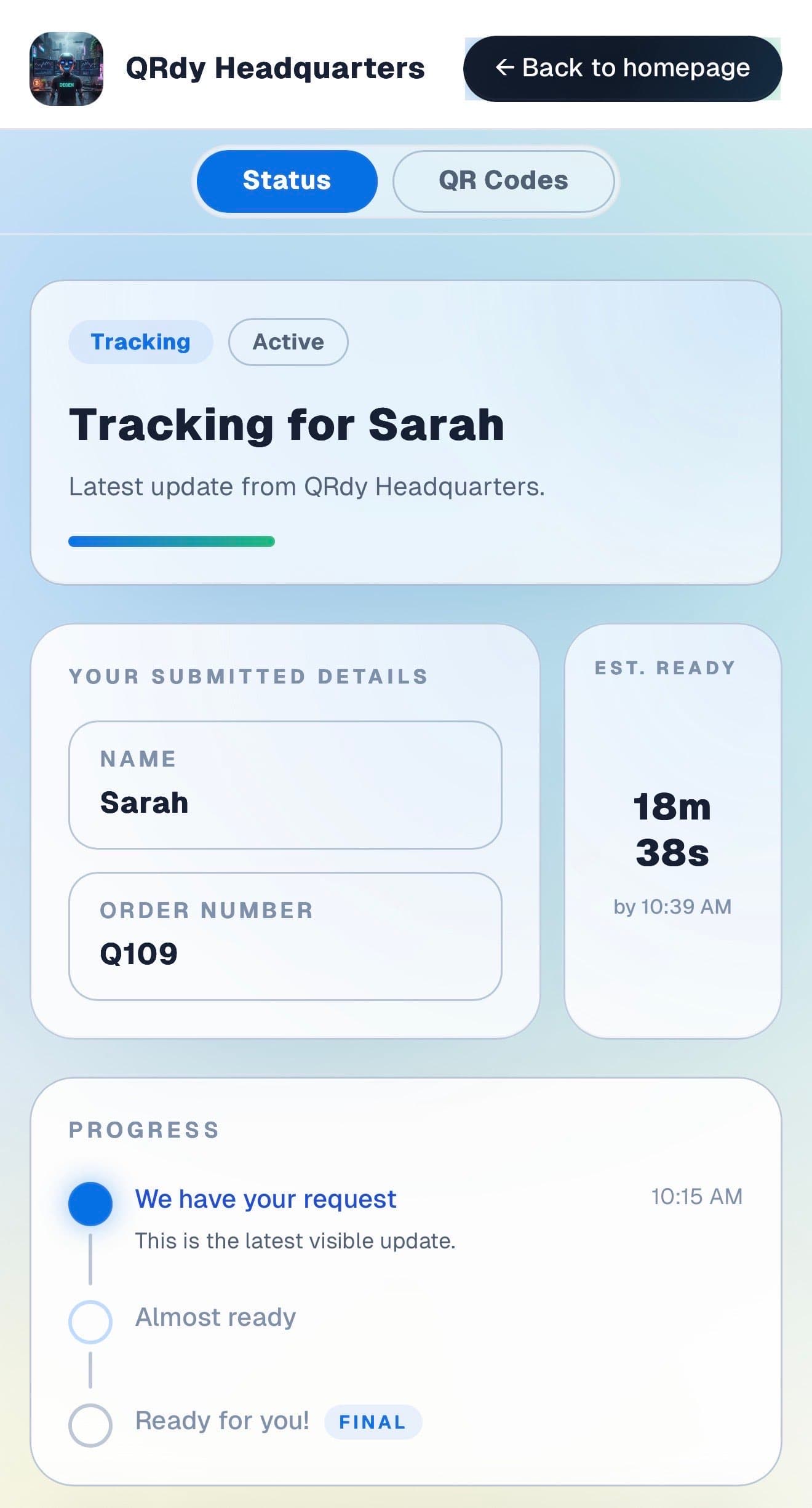
Customers want to know when the driver is coming and whether to be ready now or later. The live page gives them that without anyone needing to call with an update.

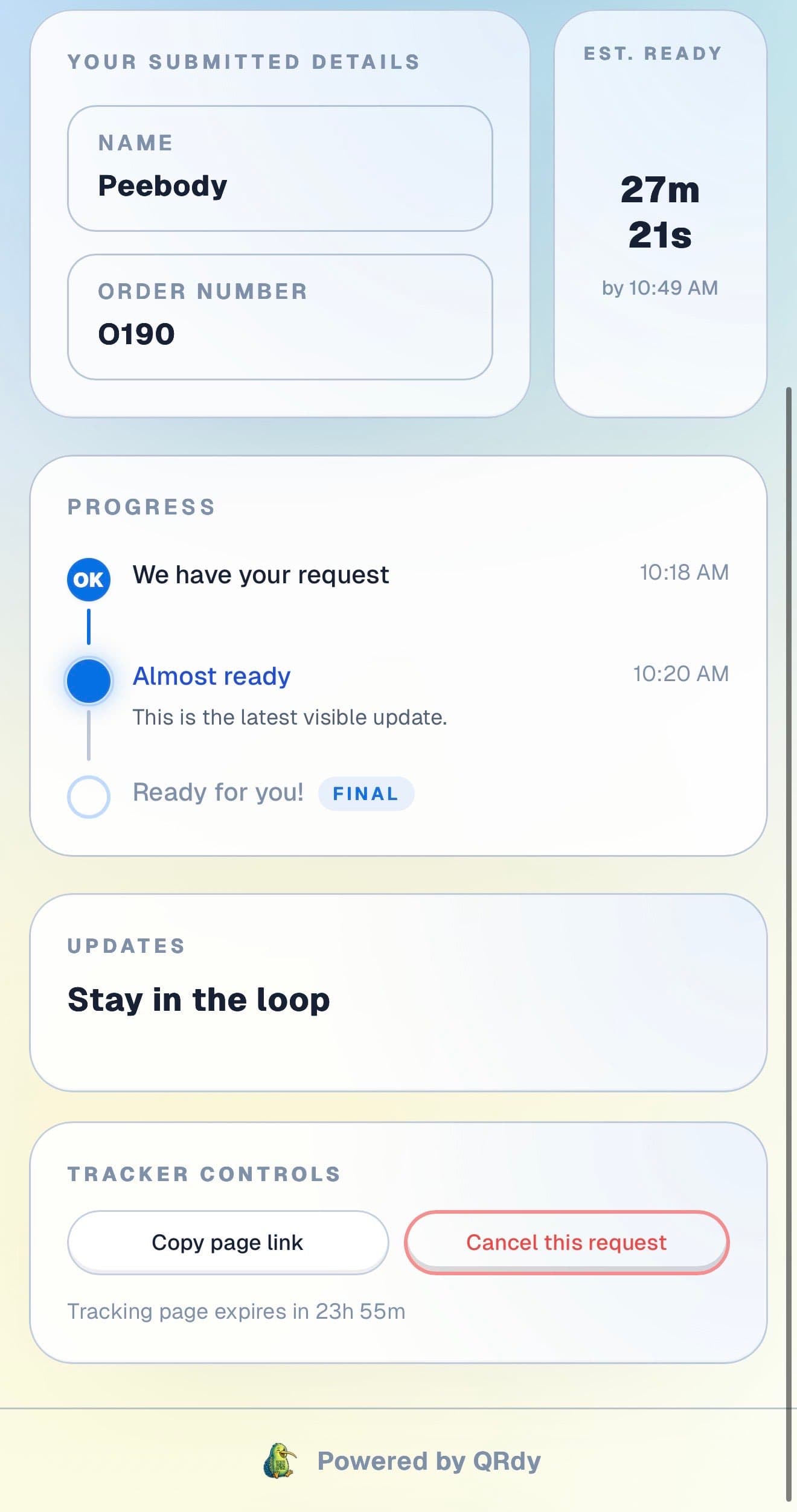
Customer tracking page showing the current job status, submitted details, and ETA.

Active tracker

The customer sees the current pickup status at a glance

The live page shows the current stage and job details so customers know whether the driver is assigned, en route, or minutes away.

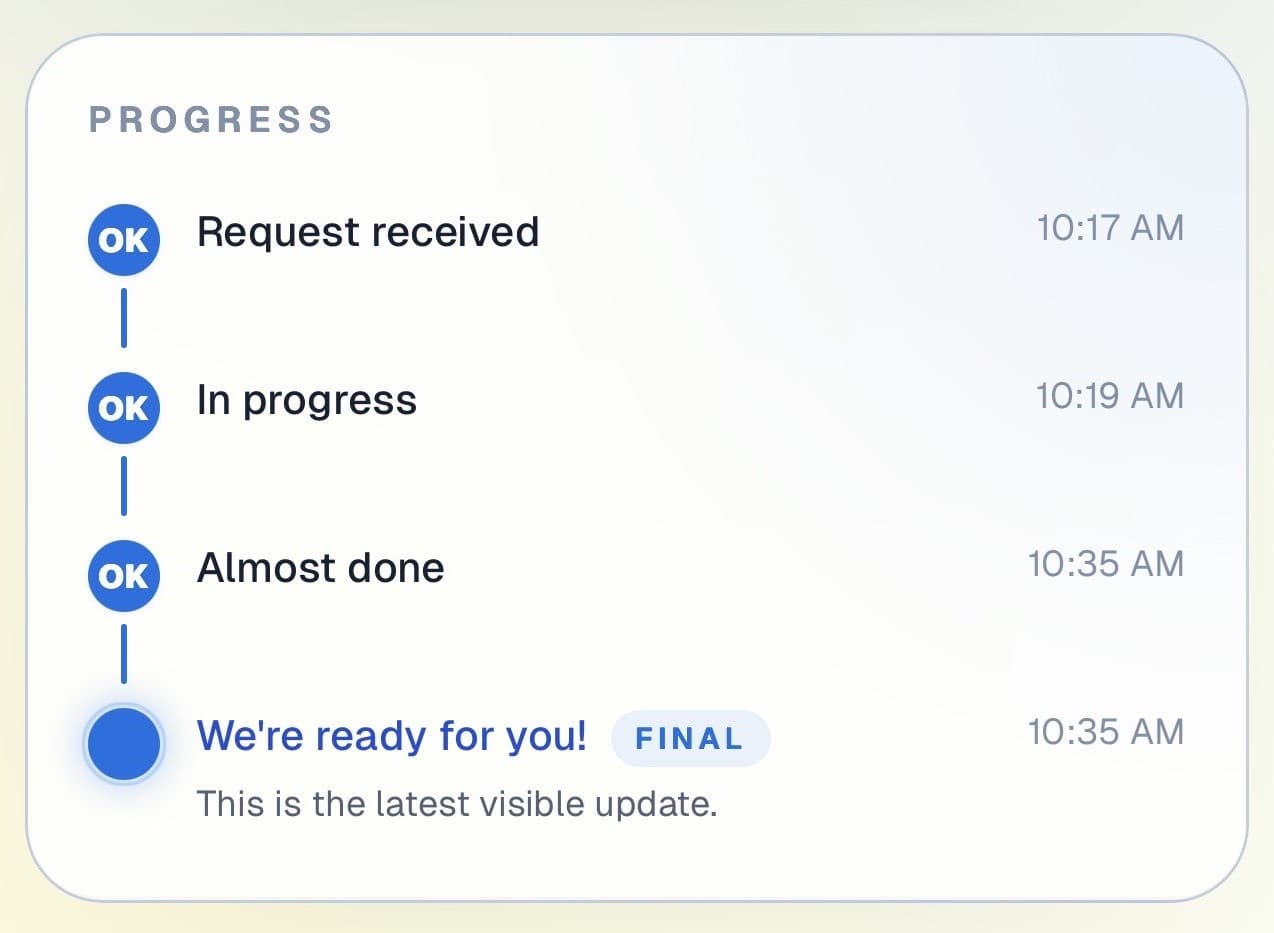
Customer progress timeline showing completed steps and the current live update.

Progress timeline

Each pickup stage is visible in real time

Customers can see how their job has progressed from request through to driver assigned and en route, giving them the confidence to plan around the pickup.

Progress timeline showing each stage with timestamps.
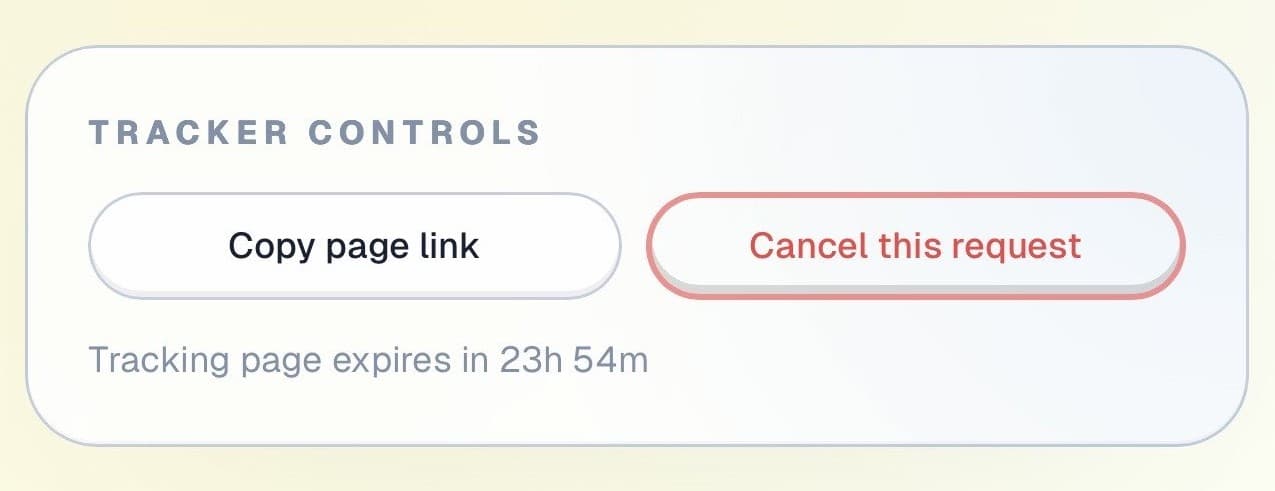
Tracker controls showing copy link and cancel request actions.

Controls and sharing

The page stays useful throughout the job

Customers can copy their tracking link and cancel if plans change, all without calling your office to update the booking.

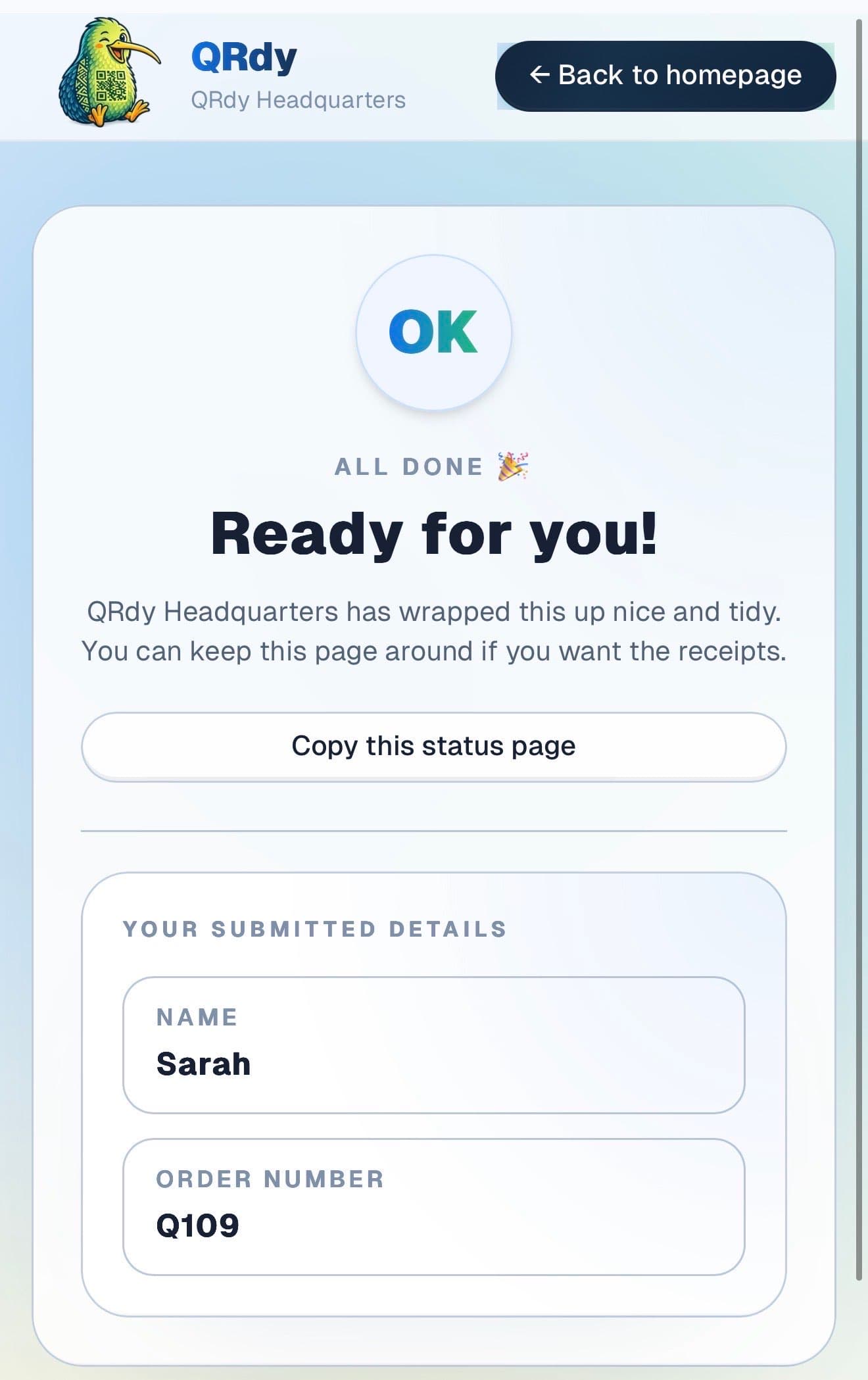
Completed tracker showing the finished state and a link the customer can keep.

Completed state

Collected jobs look complete

When the pickup is done, the page switches to a clear completed state so the customer has a clean record of the handover.

Custom to your workflow

These stage names are examples, not a fixed template

QRdy lets you name each stage to match how your pickup operation runs. You might use request received, driver assigned, en route, and collected. Or adapt the stages for a depot-based collection flow.

Rename stages to match your pickup workflow
Keep it simple for straightforward driver runs
Add stages for multi-stop or scheduled collection rounds
Make arrival timing predictable for customers

Why QRdy

Simple for your team. Reassuring for your customers.

  • No app download for customers
  • Works on any phone with a browser
  • Staff tap one button to update status
  • Customers get a live page, not a phone call
  • Set up and running in under 60 seconds
  • Push and WhatsApp notifications on paid plans

Common questions

Frequently asked questions

How does QRdy work for courier or pickup businesses?

When a package or item is ready for pickup, your team taps once to update the job status and the customer sees it on their live page immediately. Customers track their item through stages, item received, being processed, ready for pickup, collected, without calling or texting your team to ask. For courier operations, this means fewer inbound enquiries about arrival times and fewer customers showing up before a package is processed and ready to hand over.

Do customers need to download an app?

No. Customers scan the QR code or open a shared link and the live status page opens directly in their browser, no app download, no account creation, no signup required. Pickup customers often include a wide range of people in terms of age and technical comfort. QRdy keeps the experience to a scan or a tap, which is accessible to everyone and creates no barrier to checking their status.

Can we use it for scheduled pickups?

Yes. QRdy works for same-day and pre-booked pickups equally well. For a scheduled pickup, create the job when the booking is made. As the item or package moves through processing, you update the stage. The customer tracks readiness live from their phone and arrives only when the page shows ready. For high-volume pickup operations, this reduces the number of people arriving early and waiting unnecessarily, keeping the pickup area calmer and more manageable.

Clear updates. Fewer missed pickups. Happier customers.

Get started free - no credit card, no software to install. Your first tracker is ready in under a minute.

Create a free tracker now

Running a business? Set up your business account