Hardware & tool rental

Tools ready when the customer needs them.

Live status tracking for equipment hire, from booking to ready for pickup.

No app for customers. Ready in 60 seconds.

At a glance

What QRdy does for a hardware or tool rental shop

QRdy for hardware and tool rental gives every customer a live status page for their hire booking from confirmed to ready for pickup. Your team taps to update equipment readiness as each booking is prepared, so customers arrive when the gear is actually ready, not to wait for it.

Why it matters

Equipment ready when the customer needs it, with proof

Hire customers plan their jobs around gear availability and any delay throws off their whole day. QRdy gives every booking a live page so customers know exactly when their equipment is ready before they make the trip.

Reduce arrival-before-ready situations
Keep customers informed as equipment is prepared
Make pickup timing accurate for tradespeople
Use your own hire stage names

The real problem

Customers are not just waiting for tools. They have a job scheduled around the assumption they will be ready.

Tool hire customers book equipment for a specific job and arrive expecting it to be ready. A contractor who books a concrete saw for 8am needs it at 8am, not at 9am when the previous hirer eventually returns it. When equipment isn't ready at pickup, the customer's whole day is affected. They wait, they call, they rearrange tradespeople, and they remember the inconvenience the next time they choose a hire company. QRdy gives every hire booking a live status page showing the exact readiness of the equipment. Booking confirmed, being cleaned and serviced, ready for pickup, one tap from your team and the customer's page updates. If something is running late, they know before they get in the van. If it's ready early, they know that too. A five-minute status check replaces a wasted trip and a frustrated customer.

How it works

From booking confirmed to ready for pickup

The customer books their gear and scans the QR at the counter. Your team taps through each preparation stage and the customer checks the page before making the trip in.

1

Booking confirmed

Customer books. Live tracking page created.

No app. No account. The booking is tracked and visible from the start.

2

Equipment being prepared

Cleaned, checked, and fuelled. Status visible.

Customers who can see preparation in progress stop calling to confirm the gear will be ready on time.

3

Ready for pickup

Customer notified, equipment confirmed ready.

Especially useful for early morning hires where contractors need to know gear is ready before leaving their site.

4

Returned

Job closed when equipment comes back.

A professional close to the hire that both sides can refer back to.

What your hire shop and customers see

A live hire page for customers and a clear booking view for your team

The dashboard shows your team every active hire and its current preparation stage. The live page gives each customer real-time readiness status without them calling ahead to check.

QRdy dashboard showing active jobs, current step, next step, and one-tap update buttons.

Dashboard

A simple workspace for the team preparing and tracking hires

Staff can see every active booking, update each preparation stage with one tap, and let the page handle customer communication while they get the gear ready.

Customer-facing live page

Give customers clear updates from booking to ready for pickup

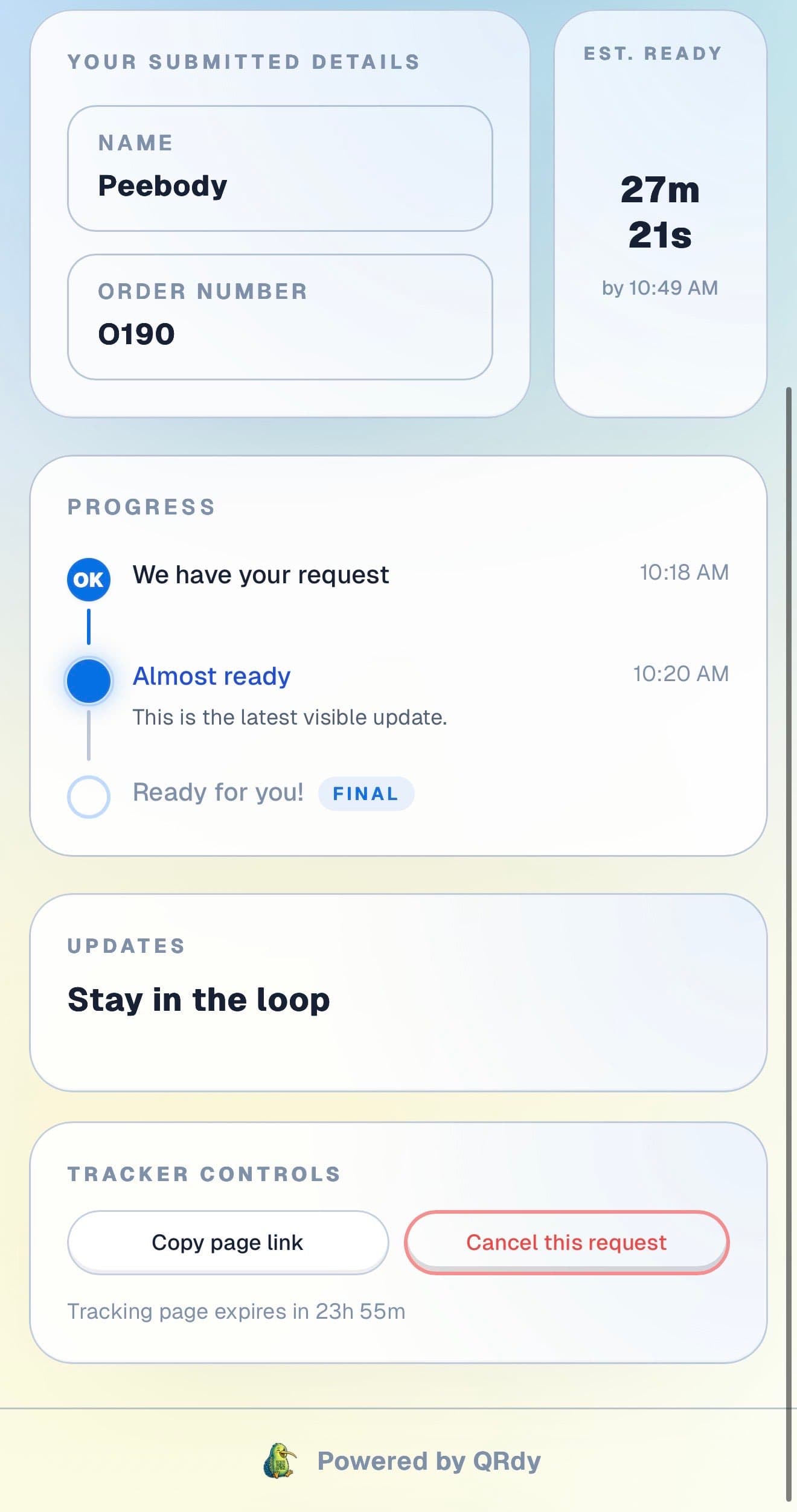
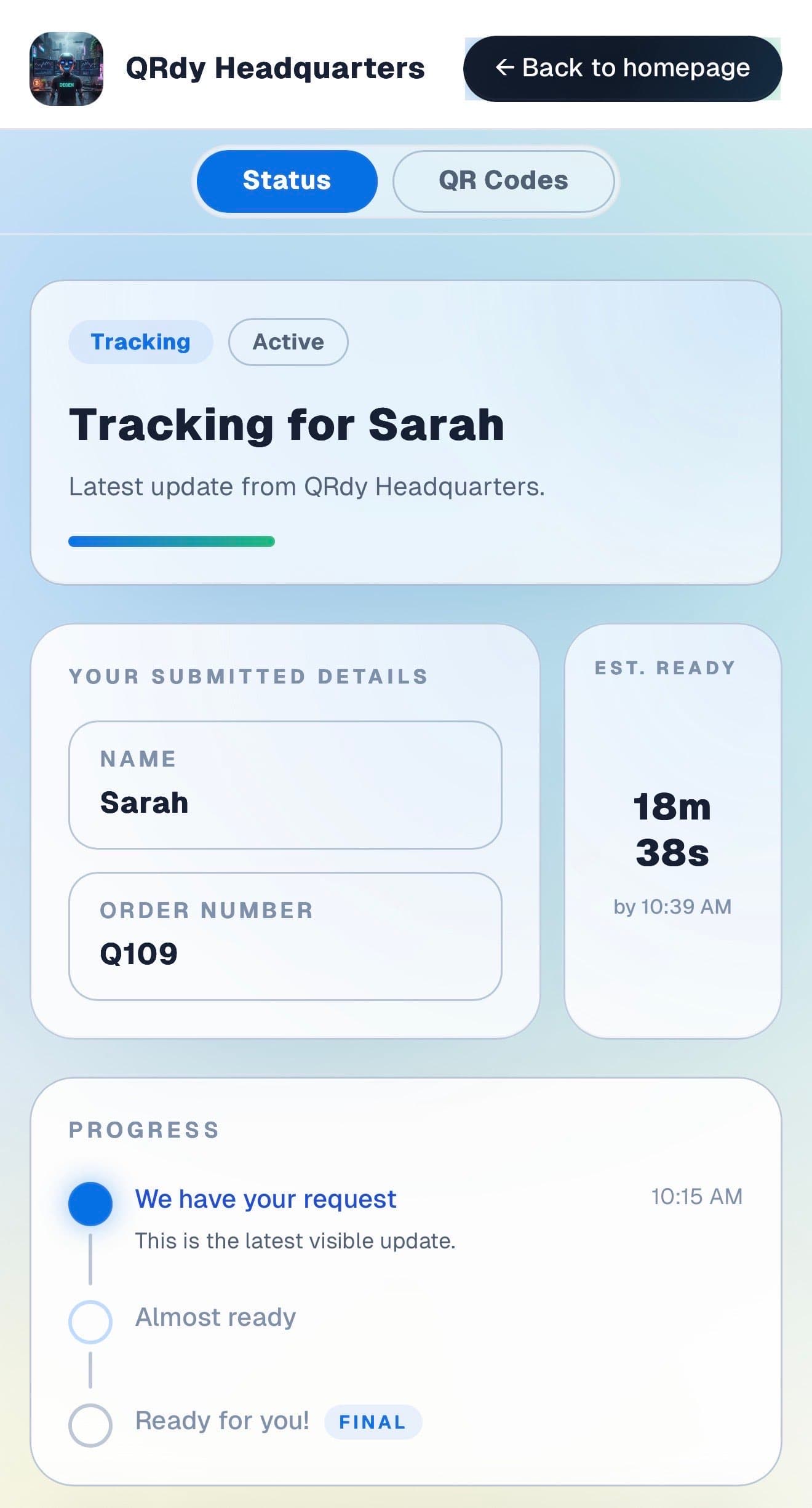
Customers want to know their gear is ready before they drive in, especially when they have a job scheduled around it. The live page gives them that confidence.

Customer tracking page showing the current job status, submitted details, and ETA.

Active tracker

The customer sees their hire status at a glance

The live page shows the current preparation stage and booking details so customers know whether their gear is still being readied or ready for collection.

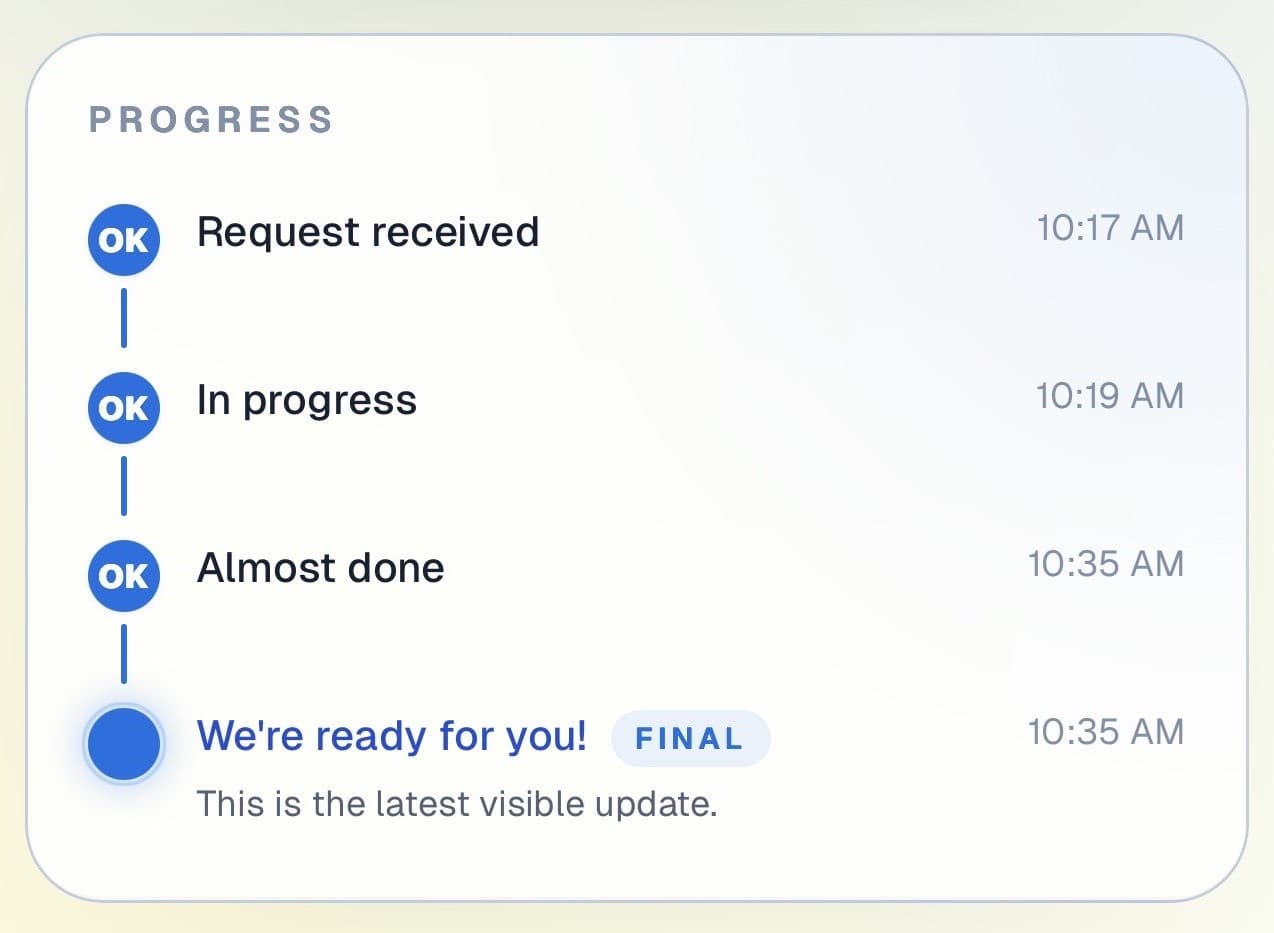
Customer progress timeline showing completed steps and the current live update.

Progress timeline

Each preparation stage is visible in real time

Customers can see how their hire has progressed from booking through to equipment ready. Useful for same-day and pre-booked rentals alike.

Progress timeline showing each stage with timestamps.
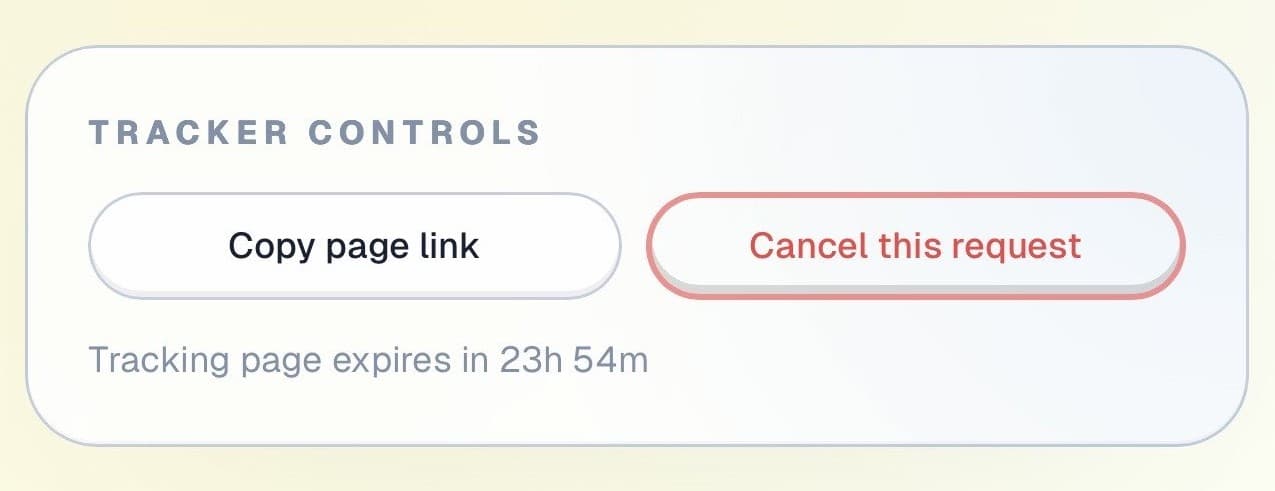
Tracker controls showing copy link and cancel request actions.

Controls and sharing

The page stays useful throughout the hire

Customers can copy their tracking link and cancel if plans change, all without calling the counter.

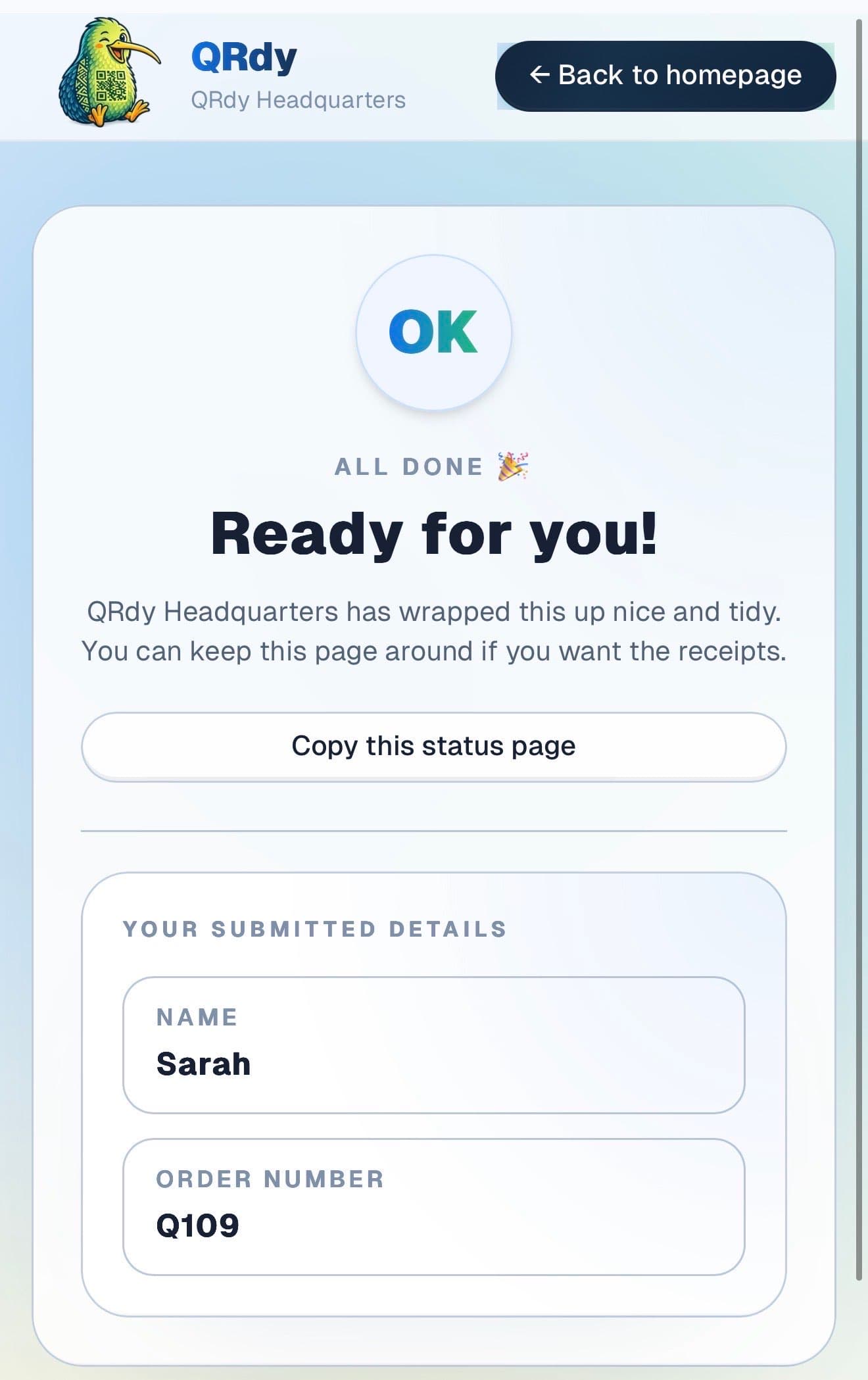
Completed tracker showing the finished state and a link the customer can keep.

Completed state

Returned hires look closed

When the gear is returned and the hire is closed, the page switches to a clear completed state so both sides have a clean record of the transaction.

Custom to your workflow

These stage names are examples, not a fixed template

QRdy lets you name each stage to match how your hire operation works. You might use booking confirmed, being serviced, fuelled and ready, and returned. Or a simpler flow for straightforward same-day hires.

Rename stages to match your hire workflow
Keep it simple for same-day tool hires
Add stages for equipment servicing or multi-day rentals
Make pickup timing accurate for tradespeople

Why QRdy

Simple for your team. Reassuring for your customers.

  • No app download for customers
  • Works on any phone with a browser
  • Staff tap one button to update status
  • Customers get a live page, not a phone call
  • Set up and running in under 60 seconds
  • Push and WhatsApp notifications on paid plans

Common questions

Frequently asked questions

How does QRdy work for a hardware rental business?

Customers book equipment, scan a QR code at your counter, and get a live status page showing the current status of their hire. As your team prepares the gear, booking confirmed, equipment being checked, cleaned and ready for pickup, one tap updates the page. Customers see exactly when their equipment is ready and come in at the right time. For same-day hires where customers are waiting nearby, the live page means they stop hovering and come back only when ready.

Do customers need to download an app?

No. Customers scan the QR code and the live status page opens in their browser immediately, no app download, no account, no signup. Hardware rental customers are often tradespeople or DIYers who value efficiency and have no interest in installing another app just to check if their gear is ready. QRdy keeps the check-in to a scan and a name entry, which takes under ten seconds and works on any smartphone.

Can it handle same-day and pre-booked rentals?

Yes. QRdy works for walk-in hires and advance bookings equally well. For same-day hires, create the job when the customer arrives and update the status as the equipment is prepared. For pre-booked hires, create the job when the booking is confirmed. Customers track readiness live without calling to confirm availability or preparation status. For multi-day hires, you can also use the live page to communicate return milestones.

No wasted trips. Tools ready when promised.

Get started free - no credit card, no software to install. Your first tracker is ready in under a minute.

Create a free tracker now

Running a business? Set up your business account