Nail salons

Keep clients relaxed, not restless.

A live status page for every appointment so customers know exactly where their service is up to.

No app for customers. Ready in 60 seconds.

At a glance

What QRdy does for a nail salon

QRdy for nail salons gives every client a live service status page from check-in to done. A QR code at reception links each appointment to a page that updates as your team works through each stage, so clients know whether they're next without hovering at the desk or interrupting your staff.

Why it matters

A smoother front desk and a better experience for every client

Nail salon clients often arrive on stacked schedules and need to know how long they will be waiting. QRdy gives every client a live appointment status page so your team can focus on the service rather than fielding timing questions.

Reduce front desk timing questions
Keep clients informed between stages
Let clients step away and come back on cue
Use your own service stage names

The real problem

Clients are not just waiting for their nails. They are waiting to know if they are next.

Nail salons run on tight timing and stacked appointments. A gel set runs long. Nail art takes longer than expected. Meanwhile, the next client is at the desk asking how much longer, the one after that has texted twice, and your receptionist is trying to manage all of it while checking in walk-ins. It adds up quickly. QRdy gives each client a live page the moment they check in, so they know their service stage without asking. When the previous client moves to drying, your team taps once and every waiting client's page updates. They can sit in the waiting area or grab a coffee next door, check their phone when curious, and come back when it's genuinely their turn. Your team stops fielding the same question and your clients feel informed instead of ignored.

How it works

From check-in to ready to go

The client scans at reception, sees their appointment status, and can sit in the lounge or step out knowing the page will update as their service progresses.

1

Checked in

Client scans the QR and their session begins.

No app. No signup. Their service status is visible immediately.

2

Service started

Staff tap to update, client's page changes instantly.

Clients stop interrupting staff to ask and start trusting the page instead.

3

Drying / curing

Client can step away and check back when ready.

Fewer clients sitting idle and fewer staff managing restless waiting areas.

4

Ready

Page updates to done, client returns to pay and go.

A clean close to every appointment, without any confusion about whether it is done.

What your nail salon and clients see

A live appointment page for clients and a simpler control panel for your team

The dashboard shows your team the current stage for each client. The live page gives each client their own real-time view, without them needing to approach the desk.

QRdy dashboard showing active jobs, current step, next step, and one-tap update buttons.

Dashboard

A clear, simple workspace for the team managing the floor

Staff can see every active appointment, move clients through each service stage with one tap, and keep the session flow smooth without extra admin.

Customer-facing live page

Give clients clear updates from check-in to done

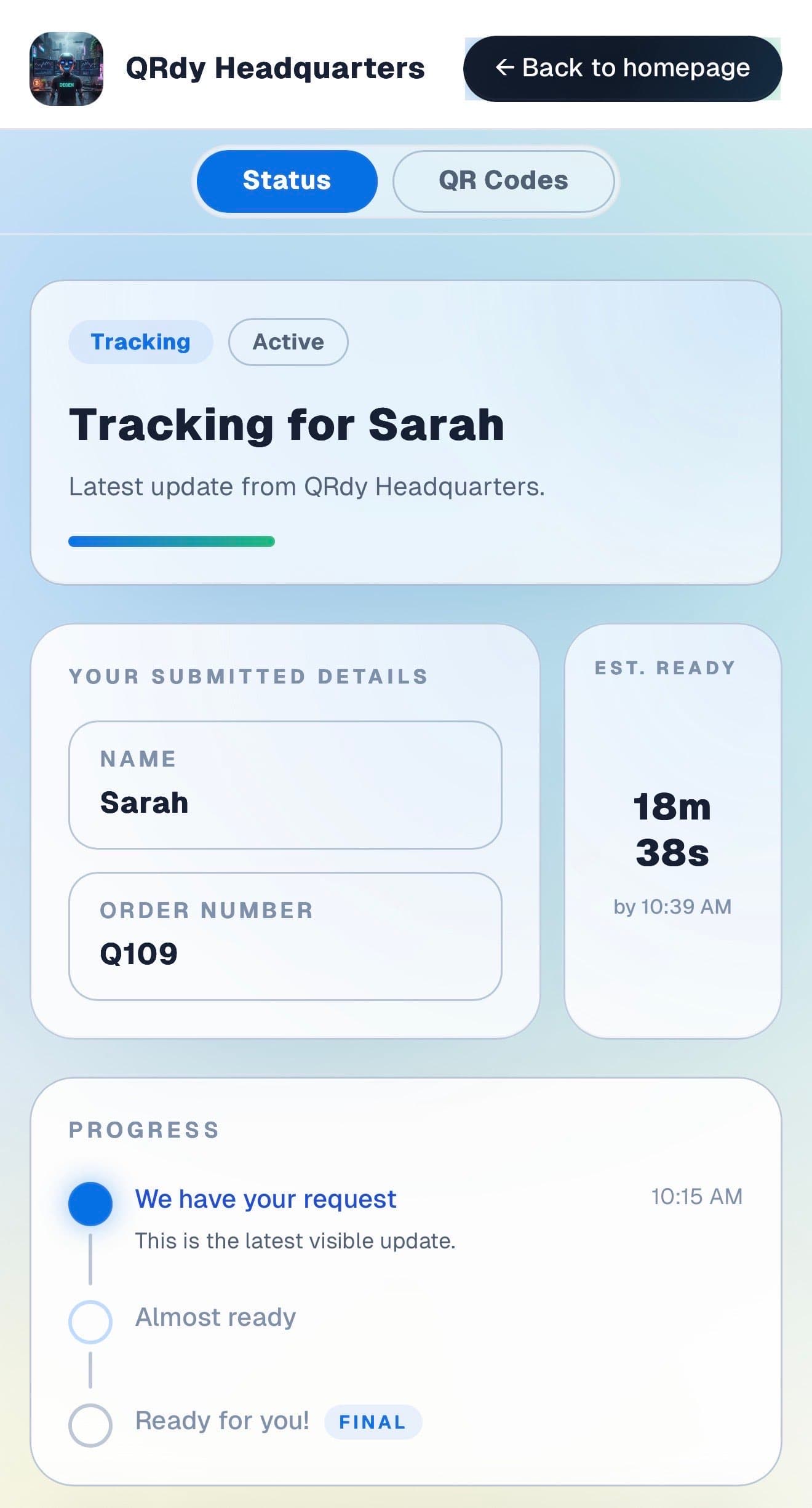
Clients want to know when their technician will be ready and when the appointment is finishing. The live page keeps that information accurate and accessible throughout the visit.

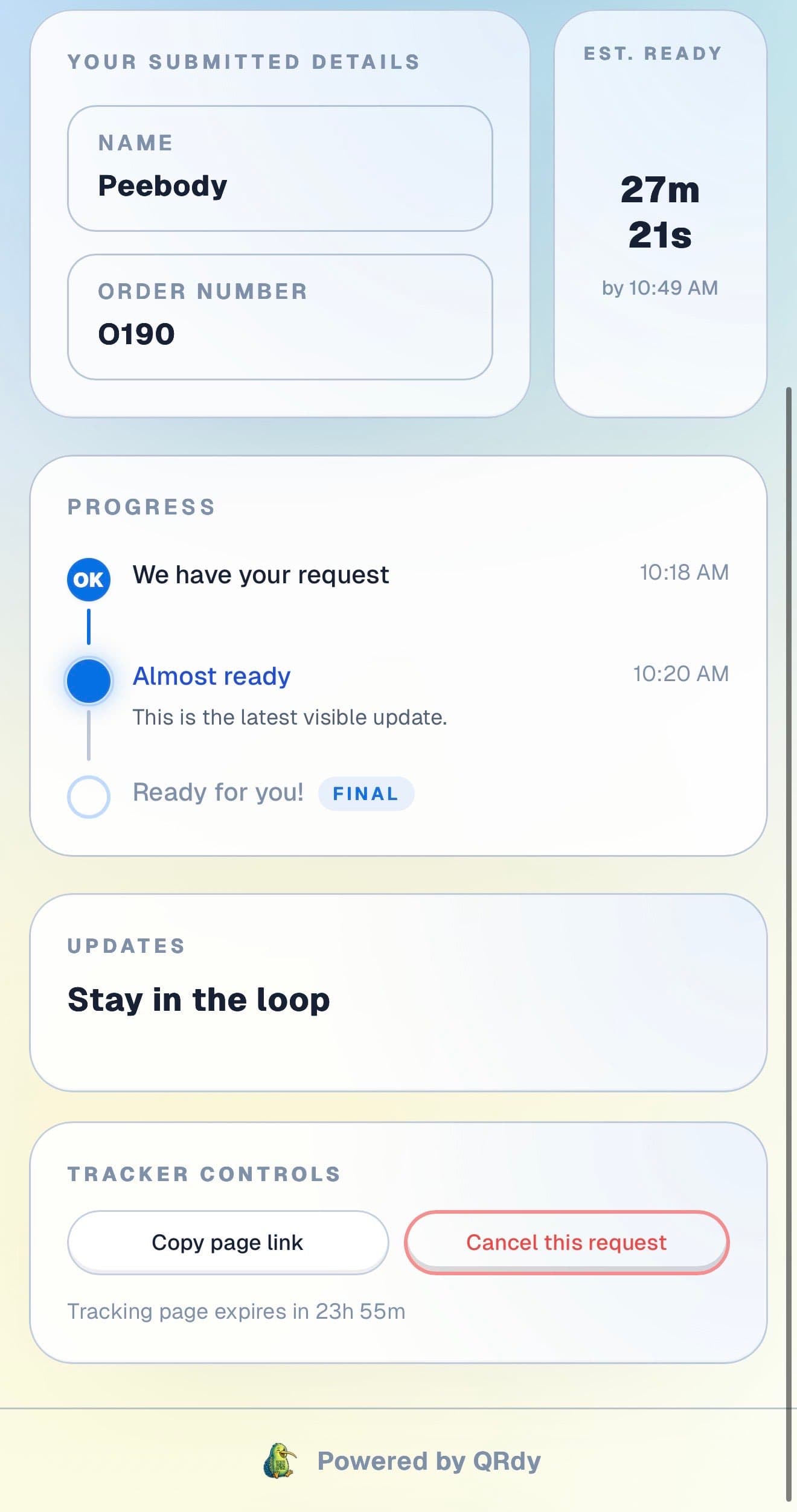
Customer tracking page showing the current job status, submitted details, and ETA.

Active tracker

The client sees their appointment status at a glance

The live page shows the current service stage, the client name on file, and an estimated ready time so they can relax rather than watching the clock.

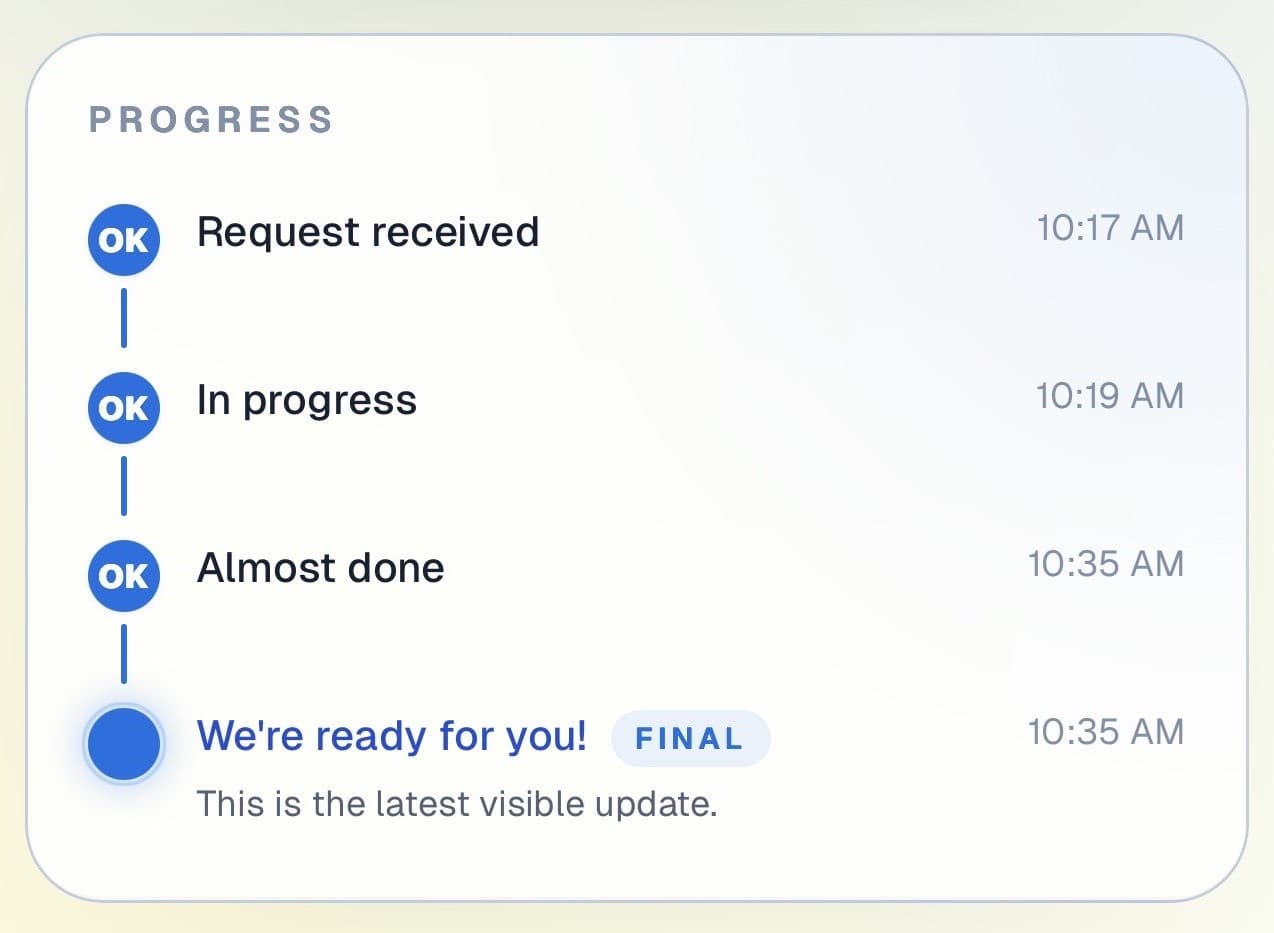
Customer progress timeline showing completed steps and the current live update.

Progress timeline

Each service stage is visible and easy to follow

Clients can see which stages are complete and where the appointment is now. That visibility is especially useful during longer gel or nail art services where timing is harder to predict.

Progress timeline showing each stage with timestamps.
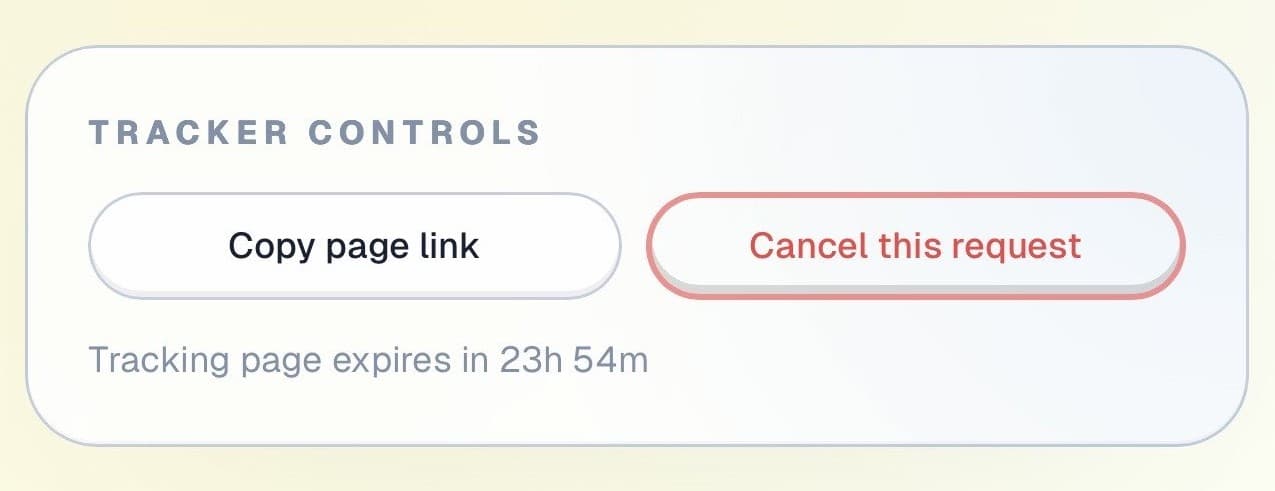
Tracker controls showing copy link and cancel request actions.

Controls and sharing

The page is useful, not just informative

Clients can copy their tracking link, cancel their appointment if plans change, and check back at any time, all from the same page without approaching the front desk.

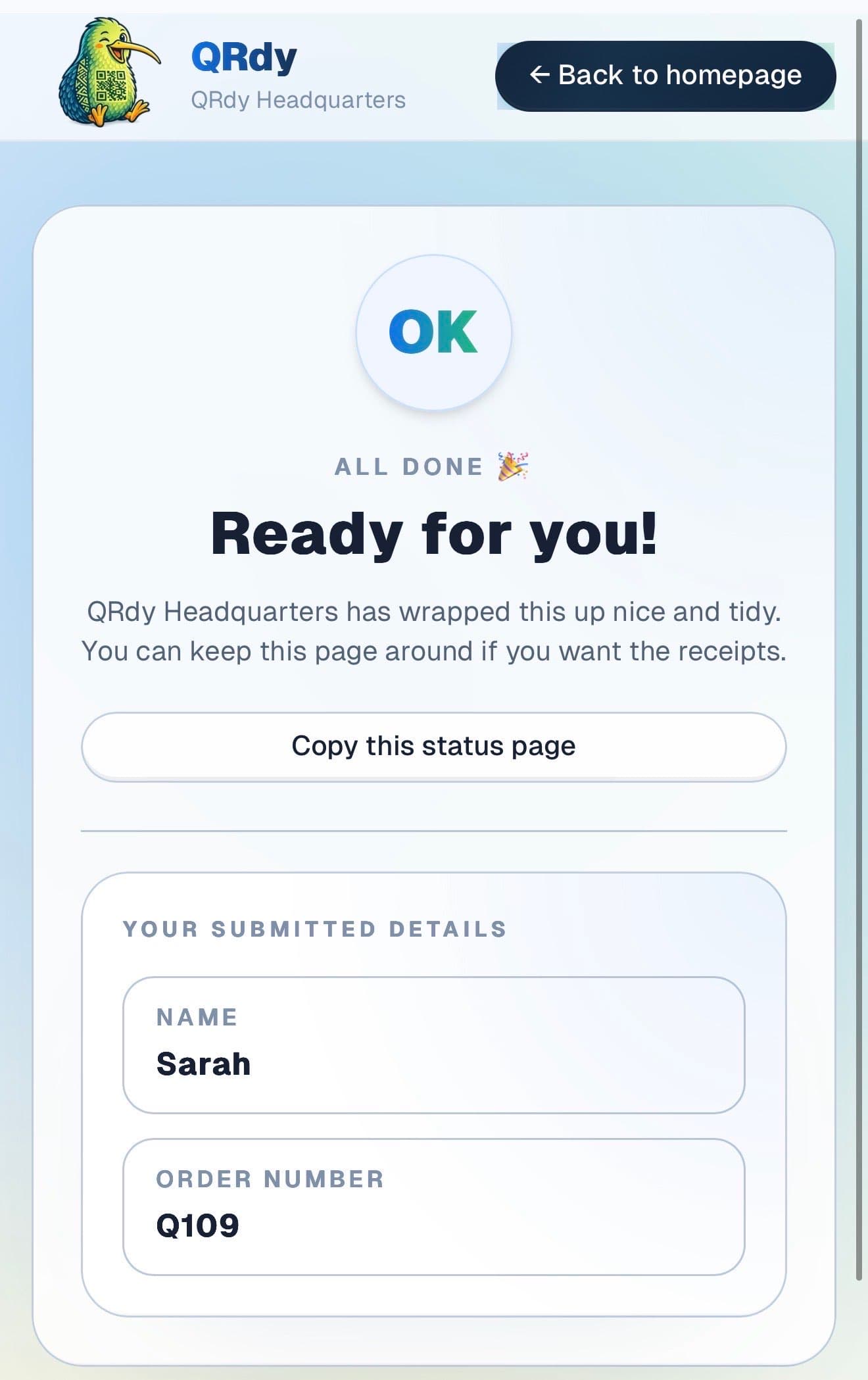
Completed tracker showing the finished state and a link the customer can keep.

Completed state

Finished appointments look finished

When the service is done, the page switches to a clear completed state so the client knows to head to reception. No ambiguity about whether the appointment has wrapped up.

Custom to your workflow

These stage names are examples, not a fixed template

QRdy lets you name each appointment stage to match the way your salon runs. You might use checked in, nail prep, colour, finishing, and done, or a different sequence that fits your service menu.

Rename stages to match your service flow
Keep it simple for quick appointments
Add stages for gel, art, or multi-step services
Make every client feel informed throughout

Why QRdy

Simple for your team. Reassuring for your customers.

  • No app download for customers
  • Works on any phone with a browser
  • Staff tap one button to update status
  • Customers get a live page, not a phone call
  • Set up and running in under 60 seconds
  • Push and WhatsApp notifications on paid plans

Common questions

Frequently asked questions

How does QRdy work for a nail salon?

Each client scans a QR code when they arrive and gets a live page showing the current stage of their appointment, checked in, nail prep, colour, finishing, and done. Your team taps one button as each stage completes and the client sees the update instantly on their phone. No calls to make and no interruptions to your technicians. Clients who are waiting can sit in your lounge, step outside, or browse their phone knowing they will see the moment their turn begins.

Do clients need to download an app?

No. Clients scan the QR code with their phone camera and the live status page opens directly in their browser, no app download, no account creation, and no signup required on their side. This removes any barrier to using the system. Even clients who are not particularly tech-savvy can manage a QR code scan and a name entry. Your staff can help with the first scan if needed, and most clients do it confidently on their own after that.

How quickly can we get set up?

Most nail salons are live within 60 seconds. You log in, name your service stages to match your workflow, checked in, nails, drying, done, and QRdy generates a permanent QR code for your salon. Print it or display it on a screen at reception. From that point, every client who scans gets their own live status page immediately. There is no ongoing admin, no contact list to maintain, and no individual messages to send.

No app download. Works on any phone. Up and running in minutes.

Get started free - no credit card, no software to install. Your first tracker is ready in under a minute.

Create a free tracker now

Running a business? Set up your business account