Party & event equipment rental

Events are stressful enough. Equipment status shouldn't add to it.

Live status from booking to delivered and set up, so your customers can focus on the event.

No app for customers. Ready in 60 seconds.

At a glance

What QRdy does for a party or event hire business

QRdy for party and event equipment rental gives every customer a live status page for their hire from booking to delivered. Your team updates each stage with a single tap, customers track their delivery like a courier shipment instead of waiting by the phone on event day.

Why it matters

One fewer supplier to chase on the day of the event

Event clients are managing dozens of moving parts and a vague delivery window adds to their stress. QRdy gives every hire booking a live page so clients track the delivery the same way they track a courier.

Reduce event-day status calls from clients
Keep clients informed as equipment is prepared and delivered
Make delivery timing predictable for event coordinators
Use your own hire and delivery stage names

The real problem

Clients are not just waiting for equipment. They are managing an entire event around its arrival.

Event hire customers are managing dozens of moving parts on the day, venue setup, catering arrival, decor, guests. The last thing they need is to spend the morning chasing their hire company to find out if the tables and chairs have left the depot. But that's exactly what happens when the only update is a vague "it'll be there by midday." QRdy gives every hire booking a live status page from confirmed to delivered. Your team taps through each stage, booking confirmed, being prepared, loaded, out for delivery, on site, and the customer's page updates in real time. They check their phone instead of calling. They know whether the delivery is fifteen minutes away or still at the depot. Event setup becomes one less thing to stress about because they have actual information instead of a window to worry within.

How it works

From booking confirmed to delivered and set up

The client books their hire and their live page is created immediately. Your team taps through each delivery stage and the client tracks progress in real time rather than calling the depot.

1

Booking confirmed

Customer books. Live tracking page created immediately.

No app. No account. Tracking is visible from booking confirmation.

2

Being prepared

Equipment checked, cleaned, and loaded.

Clients managing multiple suppliers find this visibility especially useful in the day or two before the event.

3

Out for delivery

Driver en route. Customer can track progress.

Real-time progress means the client can be on site at the right moment without hovering for hours.

4

Delivered & set up

Job complete. Ready for the event.

A professional close that confirms the delivery is done and the hire is underway.

What your hire business and clients see

A live delivery page for clients and a clear job view for your team

The dashboard shows your team every active hire and its current delivery stage. The live page gives each client real-time progress so they can stop chasing and start preparing.

QRdy dashboard showing active jobs, current step, next step, and one-tap update buttons.

Dashboard

A clear workspace for the team coordinating deliveries and pickups

Staff can see every active hire, update each stage with one tap, and let the page handle client communication while drivers focus on the schedule.

Customer-facing live page

Give clients clear updates from booking to delivered and set up

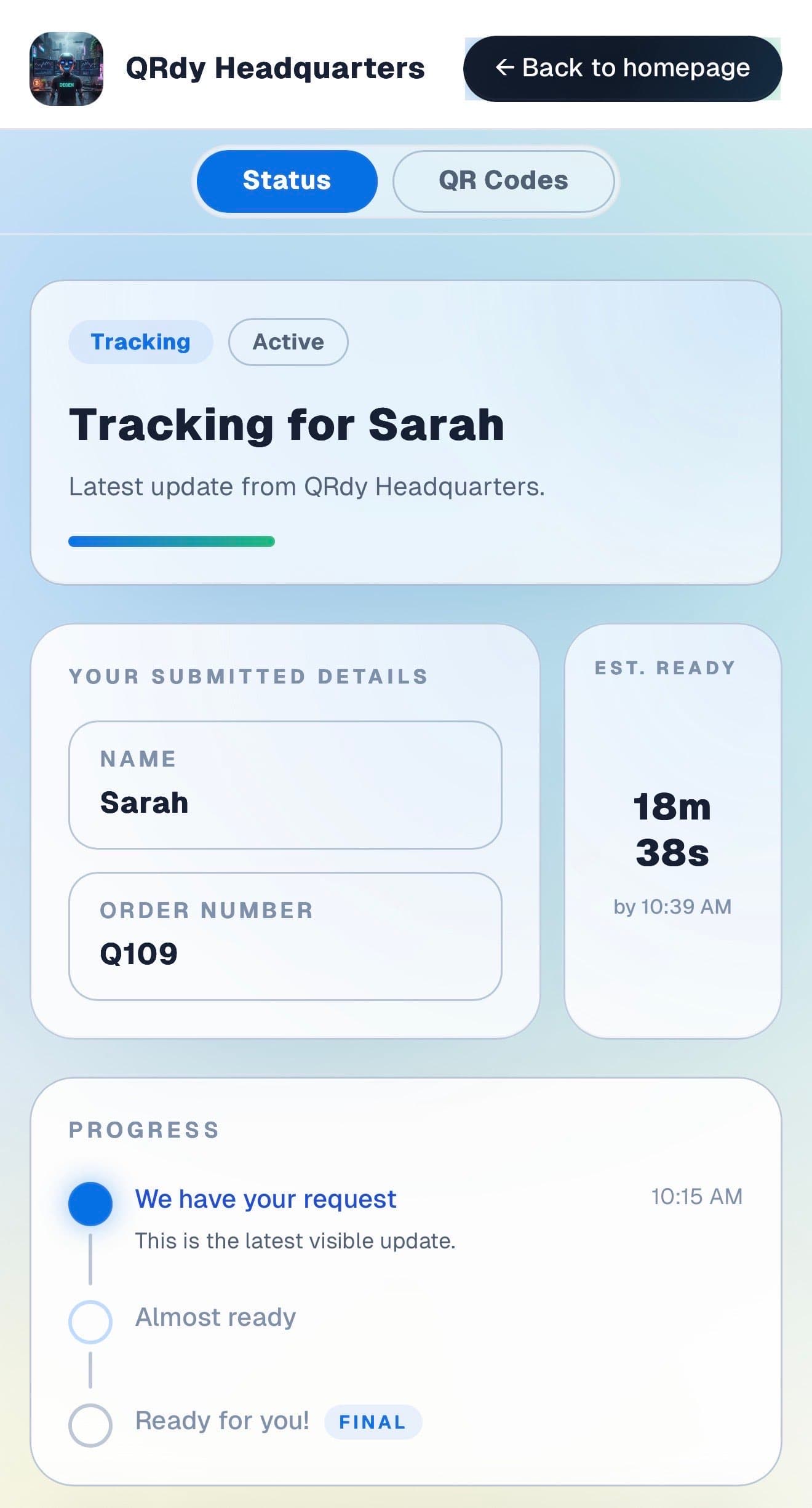
Event clients want to know the equipment is coming, when to expect it, and when it is confirmed on site. The live page covers all of that without a single phone call.

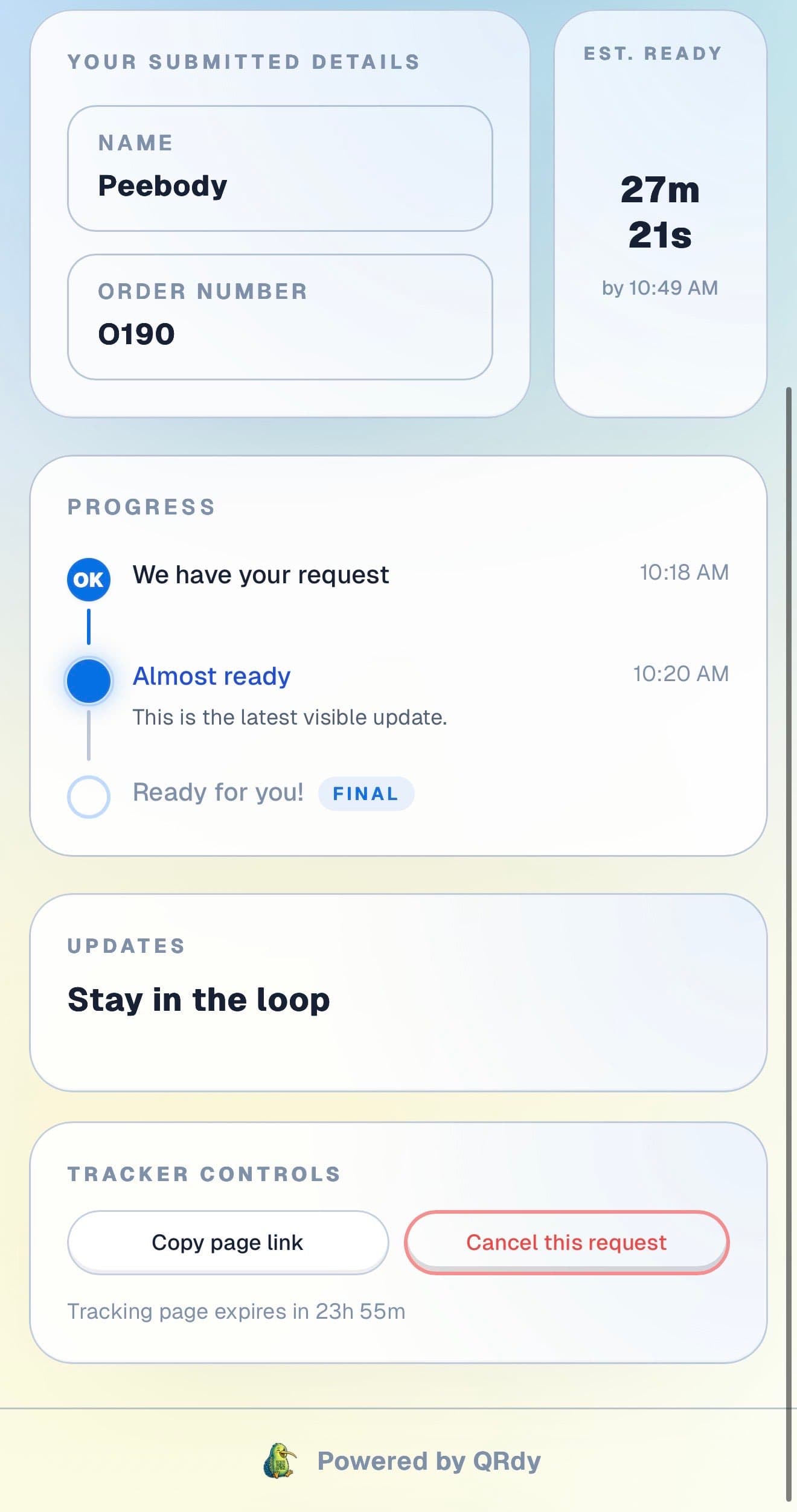
Customer tracking page showing the current job status, submitted details, and ETA.

Active tracker

The client sees the current delivery status at a glance

The live page shows the current hire stage and booking details so clients know whether their equipment is being loaded, en route, or already on site.

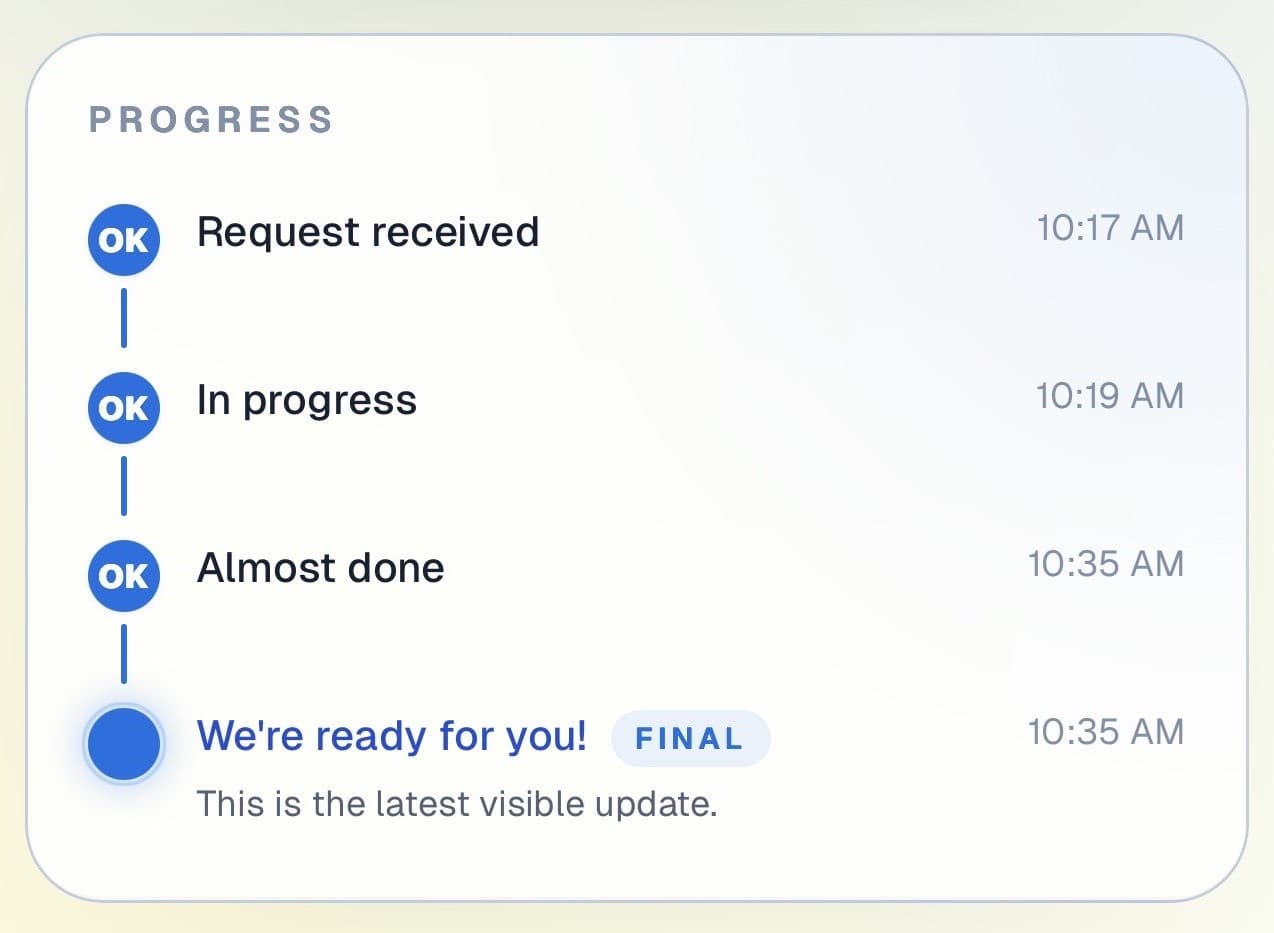
Customer progress timeline showing completed steps and the current live update.

Progress timeline

Each delivery stage is visible from booking to on site

Clients can see how the job has progressed through preparation, loading, and delivery. Useful for events where the client is coordinating multiple suppliers at once.

Progress timeline showing each stage with timestamps.
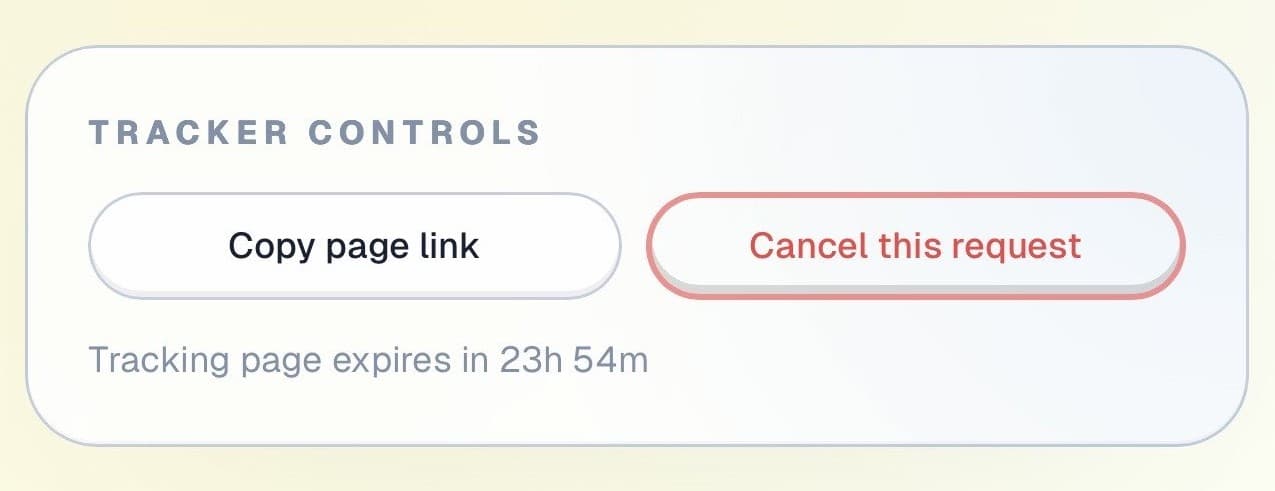
Tracker controls showing copy link and cancel request actions.

Controls and sharing

The page stays useful throughout the hire period

Clients can copy their tracking link and cancel or adjust if plans change, all without calling the office.

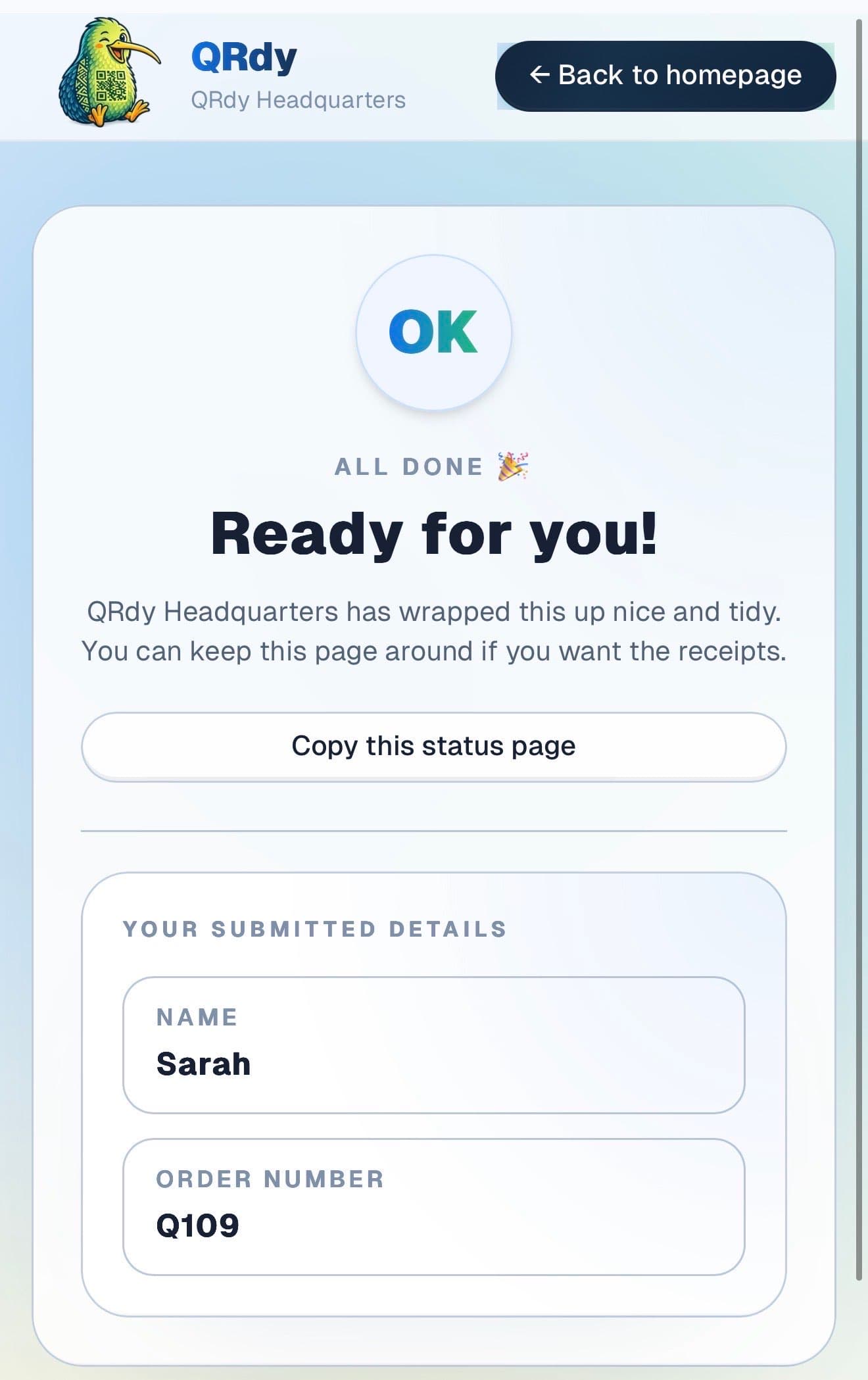
Completed tracker showing the finished state and a link the customer can keep.

Completed state

Completed deliveries look complete

When the equipment is on site and set up, the page switches to a clear confirmed state so the client can tick the delivery off their list and move on.

Custom to your workflow

These stage names are examples, not a fixed template

QRdy lets you name each stage to match how your hire and delivery operation works. You might use booking confirmed, being prepared, out for delivery, on site, and collected. Or a simpler flow for smaller local hires.

Rename stages to match your delivery workflow
Keep it simple for local drop-off and collect hires
Add stages for multi-day setup or post-event collection
Make delivery timing predictable for event coordinators

Why QRdy

Simple for your team. Reassuring for your customers.

  • No app download for customers
  • Works on any phone with a browser
  • Staff tap one button to update status
  • Customers get a live page, not a phone call
  • Set up and running in under 60 seconds
  • Push and WhatsApp notifications on paid plans

Common questions

Frequently asked questions

How does QRdy work for a party rental business?

Customers book their rental, scan a QR code or follow a shared link, and get a live status page for their specific job. As your team works through each stage, booking confirmed, items being prepared, out for delivery, setup complete, items returned, one tap updates the page. Customers track the job live from their phone without needing to call to confirm delivery times or check on collections. For event-day logistics, this keeps communication clear and reduces last-minute call volume.

Do customers need to download an app?

No. Customers scan the QR code or open a shared link and the live status page opens directly in their browser, no app download, no account, no signup. Party rental clients are often coordinating multiple things at once in the lead-up to an event. A frictionless status page they can check from their phone at any point means one less thing to manage and one fewer call to make.

Can it handle multi-day rentals and event setups?

Yes. The job page stays active for the full duration of the rental, from booking confirmation through to return. You update the status at each meaningful milestone, delivery confirmed, setup complete, event in progress, collection scheduled, returned, and customers always see the current stage. For multi-day event rentals, clients can check the status at any point and always see where things stand. This is particularly useful for large events where the client is managing many moving parts and values visibility into every supplier.

One less thing to stress about on the day.

Get started free - no credit card, no software to install. Your first tracker is ready in under a minute.

Create a free tracker now

Running a business? Set up your business account

QR Status Updates for Party & Event Equipment Rental | QRdy