Pharmacies

Patients shouldn't have to wait at the counter for their prescription.

Live prescription status from received to ready, so patients can wait comfortably and come back at the right time.

No app for customers. Ready in 60 seconds.

At a glance

What QRdy does for a pharmacy

QRdy for pharmacies gives every patient a live status page from the moment their prescription is dropped off. A QR code at the dispensary counter links each job to a page your team updates as the prescription moves through preparation, so patients know the moment their medication is ready and come back only when it is.

Why it matters

A quieter counter and patients who arrive at exactly the right time

Pharmacy counters are busy and prescription wait times vary. QRdy gives every patient a live dispensing page so they can step away, get on with their day, and come back only when the page says their prescription is ready.

Reduce counter waiting for prescription patients
Keep patients informed through each dispensing stage
Make pickup timing accurate for regular and one-off patients
Use your own dispensing stage names

The real problem

Patients are not just waiting for medication. They are managing a health situation while standing at a busy counter.

Pharmacy counters have a problem on both ends: some patients wait when they shouldn't, standing at the counter for a prescription that will take 40 minutes. Others leave and come back three times before it's actually ready. Both patterns waste time, the patient's and your team's. The pharmacist gets interrupted mid-preparation to give an update. The counter staff answer the same question on repeat. QRdy gives every drop-off a live status page so patients have a real-time source of truth. Drop off the prescription, scan the QR code, and walk away knowing the page will update when it's done. Your team taps once when the prescription moves to each stage, received, being dispensed, ready for collection. Patients come back at the right time, the counter is less crowded, and your pharmacists can focus on the work rather than the queue.

How it works

From prescription received to ready for collection

The patient drops off their prescription and scans the QR at the counter. Your pharmacist taps through each dispensing stage and the patient checks the page from the waiting area instead of hovering at the counter.

1

Prescription received

Patient submits prescription. Live page created.

No app. No account. The prescription is tracked from the moment it is received.

2

Being prepared

Pharmacist working on it. Status visible.

Patients who can see progress stop hovering at the counter or repeatedly asking how much longer.

3

Quality check

Final review before dispensing.

Useful for patients who have stepped out or are waiting in the seating area.

4

Ready for collection

Patient notified. Come to the counter.

A calm, efficient handover with no crowding and no names called across a busy pharmacy.

What your pharmacy and patients see

A live dispensing page for patients and a simpler counter flow for your team

The dashboard shows your team every active prescription and its current dispensing stage. The live page gives each patient real-time status without them waiting at the counter or repeatedly asking for updates.

QRdy dashboard showing active jobs, current step, next step, and one-tap update buttons.

Dashboard

A simple workspace for the pharmacist managing dispensing jobs

Staff can see every active prescription, update each dispensing stage with one tap, and let the page handle patient communication while the pharmacist stays focused on the work.

Customer-facing live page

Give patients clear updates from prescription received to ready for collection

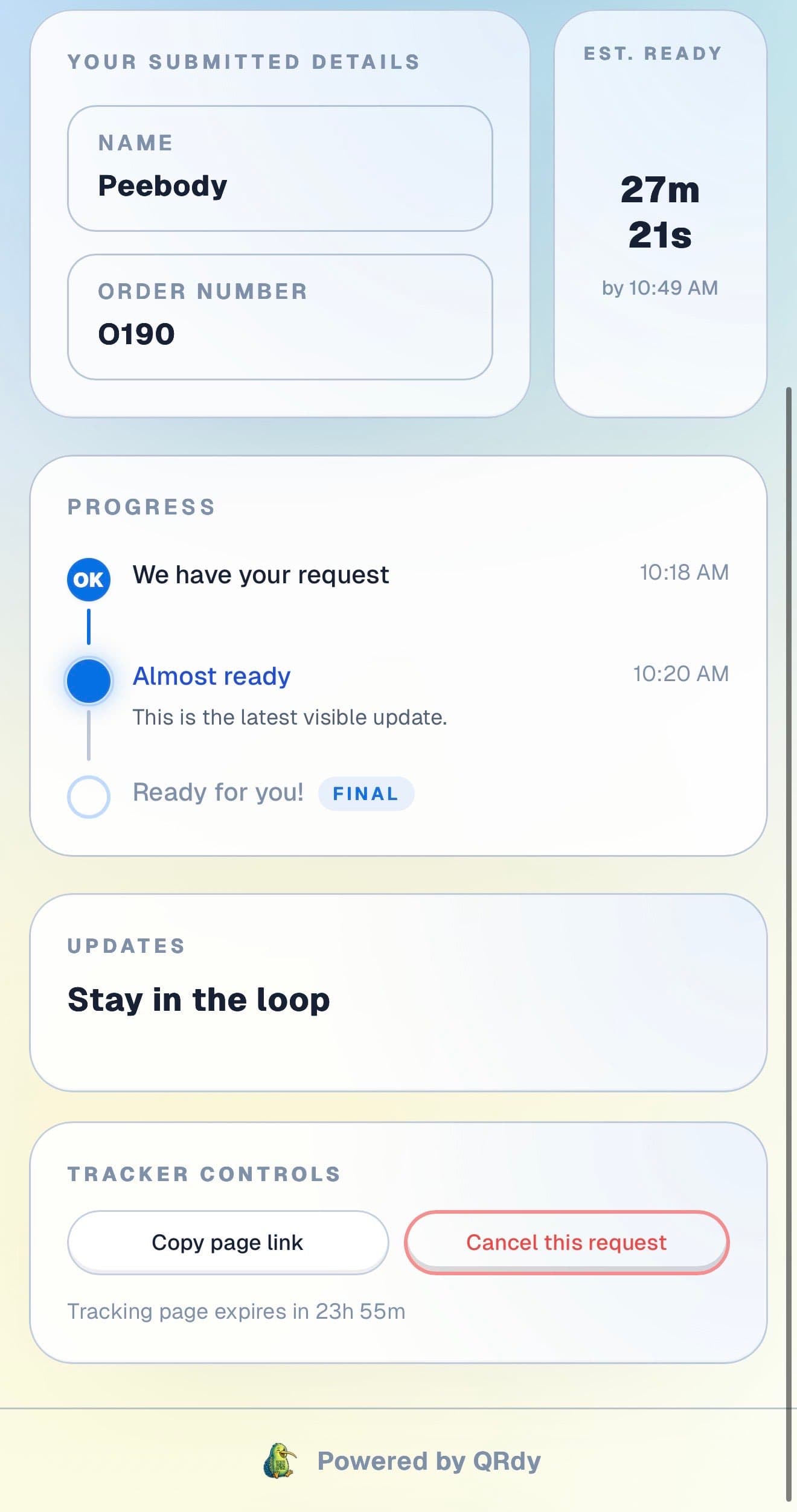
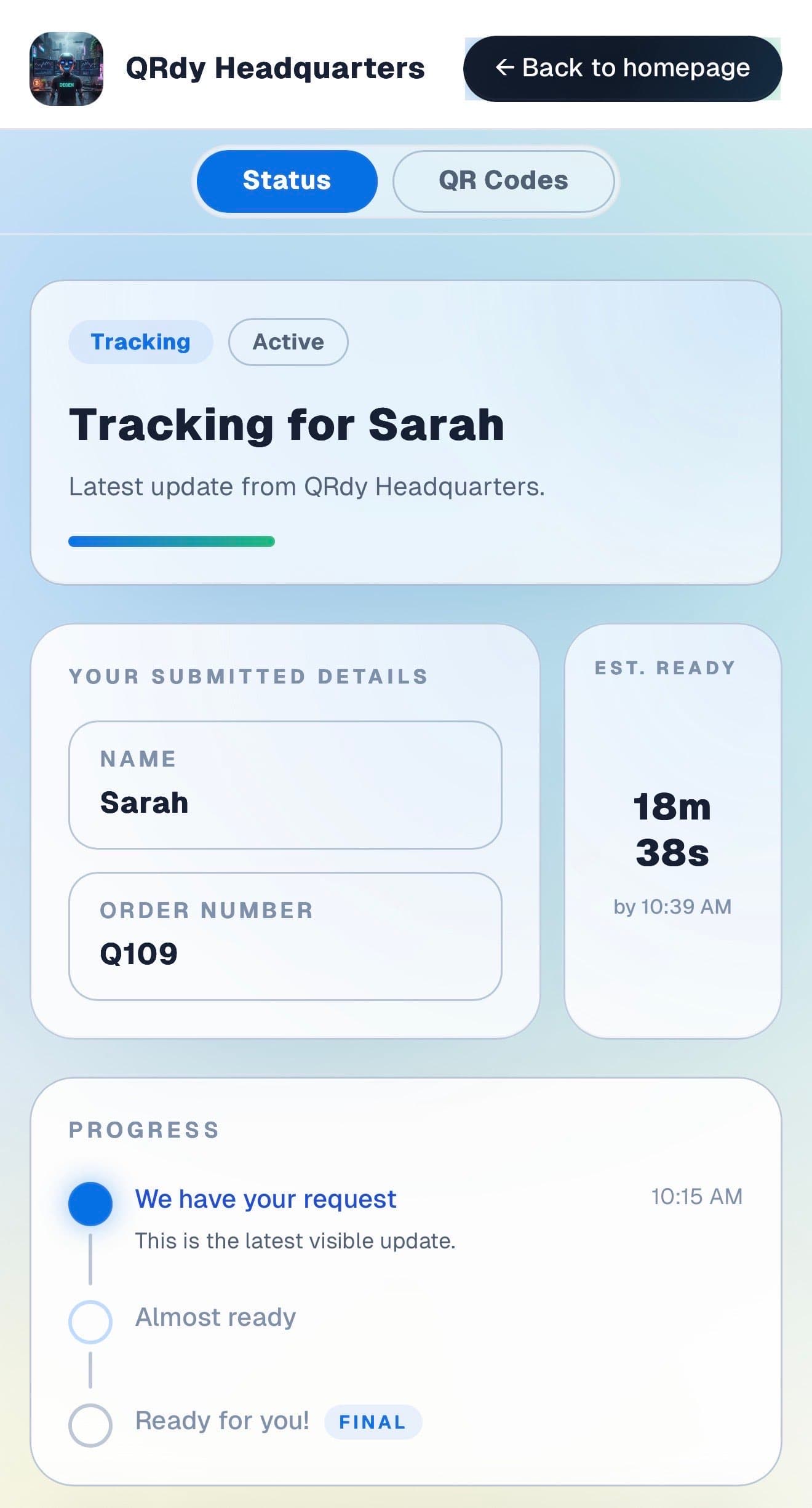
Patients want to know when their medication is ready without standing at the counter or guessing how long to wait. The live page gives them that wherever they choose to wait.

Customer tracking page showing the current job status, submitted details, and ETA.

Active tracker

The patient sees the current dispensing stage at a glance

The live page shows the current stage and prescription details so patients know whether their medication is still being prepared or ready to collect.

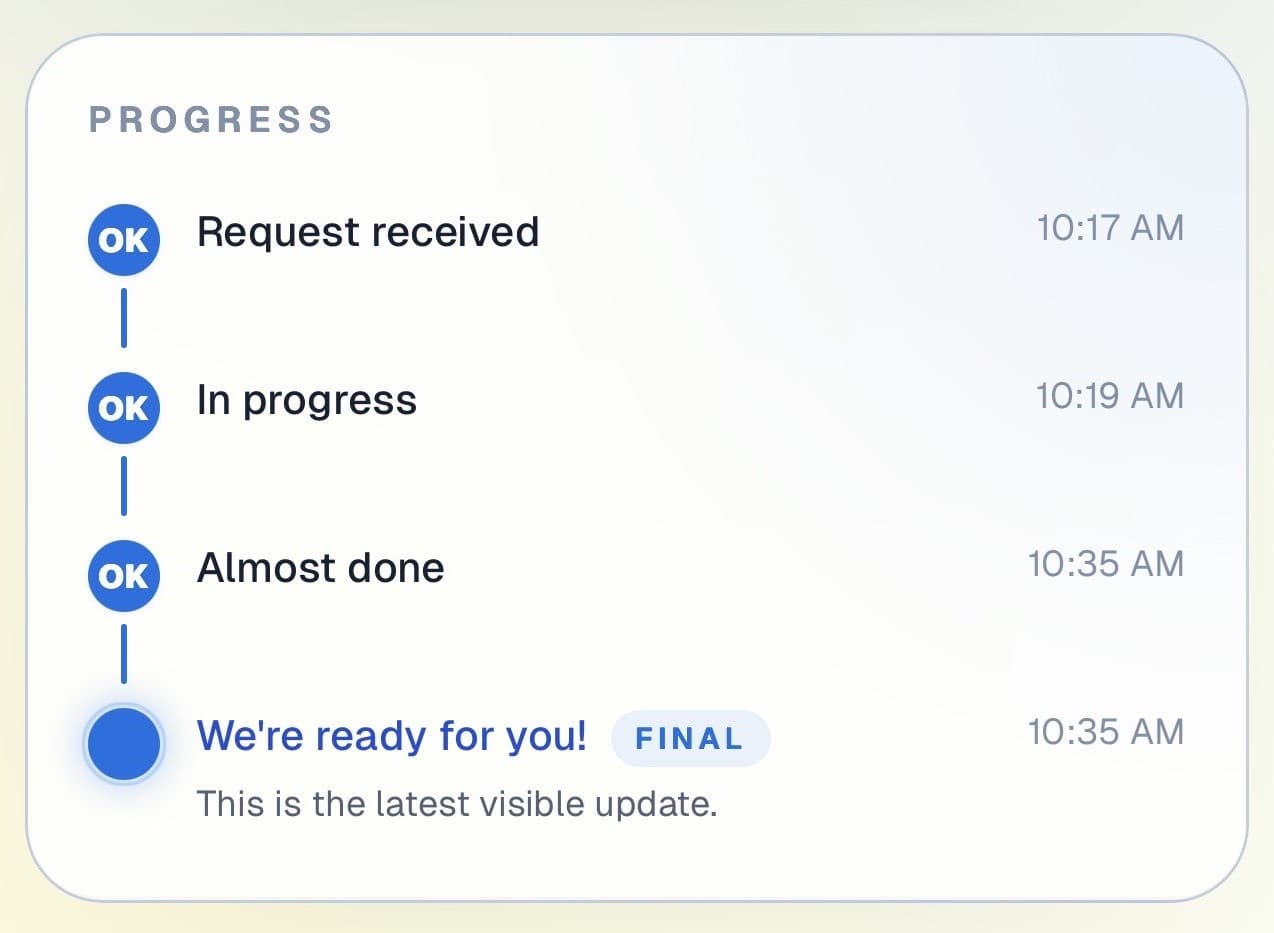
Customer progress timeline showing completed steps and the current live update.

Progress timeline

Each dispensing stage is visible in real time

Patients can see when their prescription was received and how far through dispensing it is. Helpful for patients managing their wait in the seating area or outside.

Progress timeline showing each stage with timestamps.
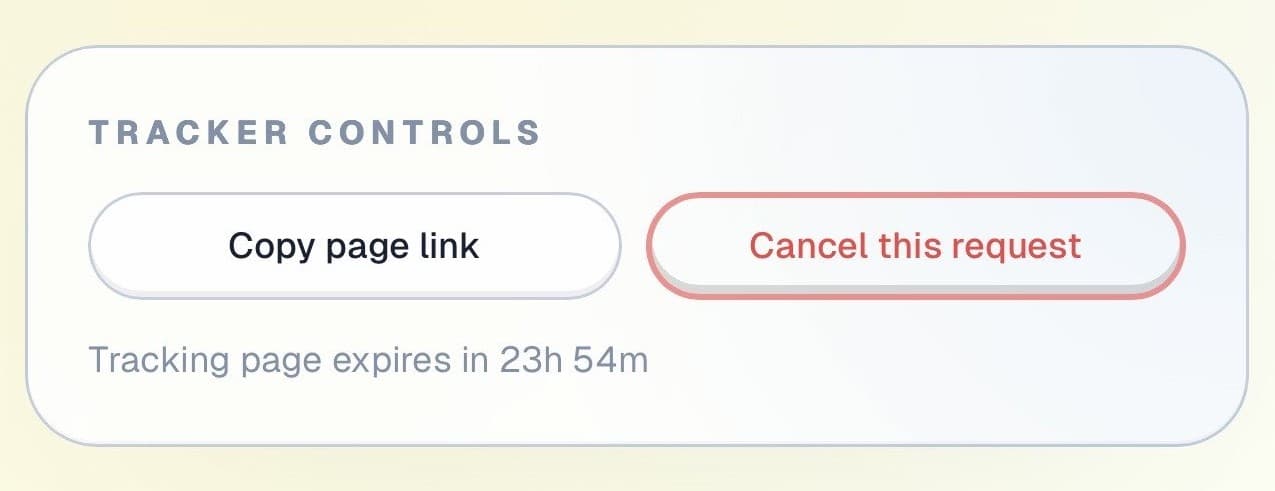
Tracker controls showing copy link and cancel request actions.

Controls and sharing

The page stays useful throughout the wait

Patients can copy their tracking link and check back at any time, all without approaching the counter to ask for a status update.

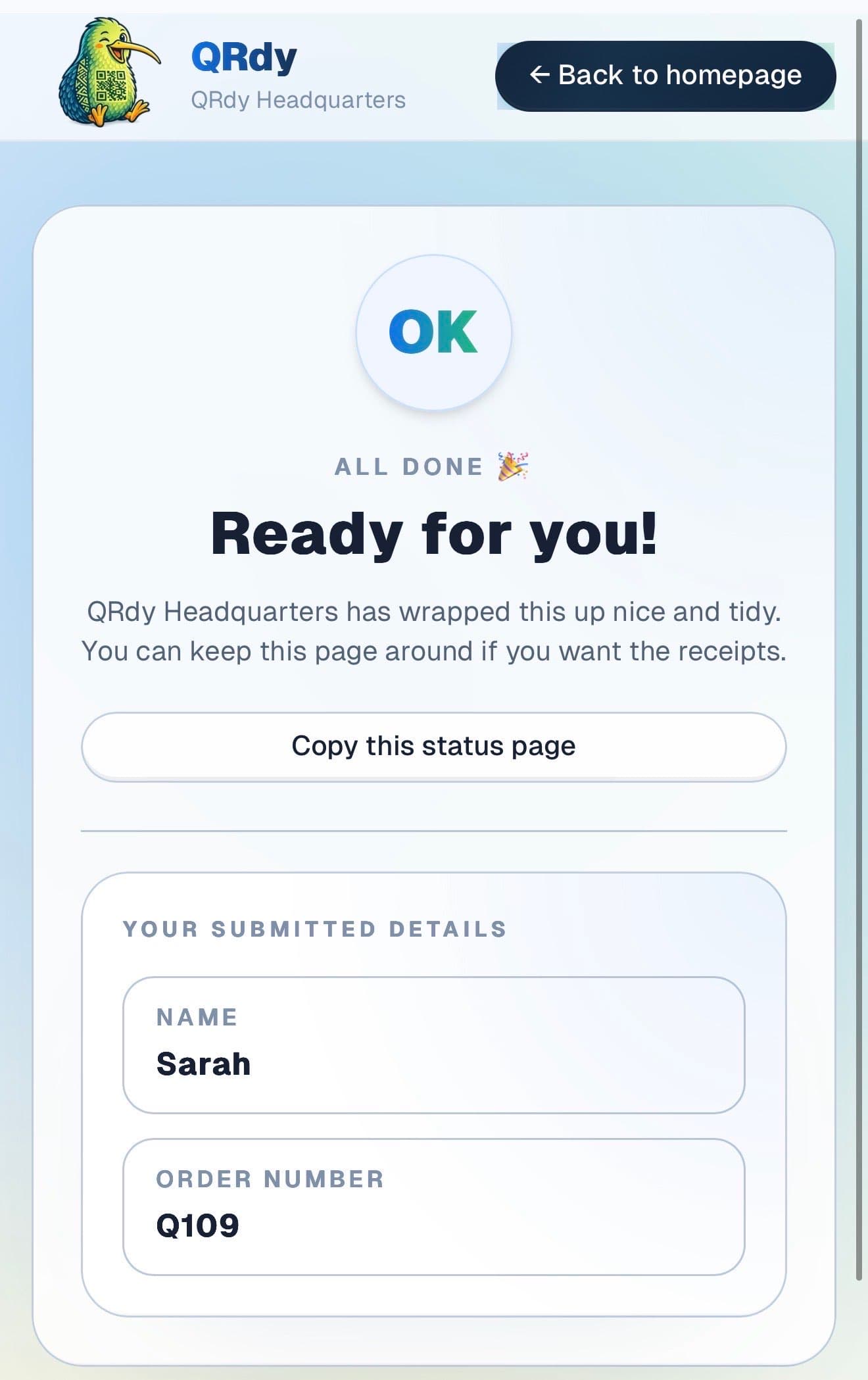
Completed tracker showing the finished state and a link the customer can keep.

Completed state

Ready prescriptions look ready

When the prescription is dispensed and checked, the page switches to a clear ready state so the patient comes to the counter at exactly the right moment.

Custom to your workflow

These stage names are examples, not a fixed template

QRdy lets you name each dispensing stage to match how your pharmacy operates. You might use prescription received, being dispensed, pharmacist check, and ready for collection. Or a simpler two-stage flow for quick scripts.

Rename stages to match your dispensing workflow
Keep it simple for quick same-day prescriptions
Add stages for compounding, special orders, or pharmacist consultations
Make wait times predictable so the counter stays clear

Why QRdy

Simple for your team. Reassuring for your customers.

  • No app download for customers
  • Works on any phone with a browser
  • Staff tap one button to update status
  • Customers get a live page, not a phone call
  • Set up and running in under 60 seconds
  • Push and WhatsApp notifications on paid plans

Common questions

Frequently asked questions

How does QRdy work for a pharmacy?

Patients drop off a prescription, scan a QR code at your counter, and get a live status page linked to their dispensing job. As your pharmacist works through each stage, prescription received, being dispensed, pharmacist check, ready for collection, one tap updates the page. Patients can wait in the seating area, step outside, or run a quick errand and come back only when the page shows their prescription is ready. The counter queue shortens and staff are not interrupted to give verbal status updates.

Do patients need to download an app?

No. Patients scan the QR code at your counter and the live dispensing status page opens directly in their browser, no app download, no account, no signup. Pharmacy patients include elderly customers and those on long-term medications who visit regularly. QRdy works in any browser on any smartphone, and the check-in is a scan and a name entry, accessible to everyone regardless of technical comfort.

Can it be used for repeat prescriptions?

Yes. Each time a patient drops off a prescription, whether it is a new script or a regular repeat, you create a new job and they scan to get their live dispensing page. Each job is tracked independently, so a patient who fills a prescription monthly has a fresh page each visit. For regular patients, the scan and check-in process becomes a quick habit and they know exactly how to track their prescription from the moment they hand it over.

Less waiting at the counter. Better patient experience.

Get started free - no credit card, no software to install. Your first tracker is ready in under a minute.

Create a free tracker now

Running a business? Set up your business account

QR Status Updates for Pharmacies | QRdy