Phone & electronics repair

Customers want to know where their phone is. Now they can.

Live repair status from drop-off to ready, so customers stop calling and start trusting.

No app for customers. Ready in 60 seconds.

At a glance

What QRdy does for a phone repair shop

QRdy for phone repair shops gives customers a live status page from the moment they hand over their device. A QR code at the counter links to a page that updates through each stage, diagnosis, repair, testing, ready, so customers can track their device like a package instead of calling to check.

Why it matters

Fewer status calls and a more trustworthy repair experience

Phone repair customers hand over the device that runs their life. QRdy gives every customer a live repair status page so they can track their device like a package instead of calling to ask where it is.

Eliminate mid-repair status calls
Keep customers informed through diagnosis and repair
Make pickup timing predictable
Use your own repair stage names

The real problem

Customers are not just waiting for a phone. They are waiting without their main device.

Phone repair customers are anxious the moment they hand over their device. Their whole life is on that phone, contacts, photos, banking, work. The more time passes without an update, the more they call, drop in, or text to check. For most repair shops, status calls are a significant daily interruption, and they don't get shorter just because a technician is mid-repair. QRdy gives every customer a live tracking page the moment they leave their device at the counter. Diagnosis in progress, parts ordered, repair underway, testing, ready, each stage shows on their page as your technician works through it. Customers can track their device like they track a package. They stop calling. They stop dropping in. And when they do come back, it's because the page told them to.

How it works

From device drop-off to ready for pickup

The customer scans at the counter, their live repair page opens before they leave, and your technician taps through each stage as the repair progresses. Customers check the page instead of calling.

1

Device received

Customer hands in their device. QR link sent or scanned.

No app. No account. The repair is logged and visible straight away.

2

Diagnosis in progress

Technician assesses. Status updates on their page.

That visibility reduces the anxiety of handing over a device and not hearing anything.

3

Repair underway

Parts confirmed and work started. Customer can see it.

Customers who know the repair is in progress stop calling to check.

4

Ready for pickup

One tap, customer notified. Device tested and done.

A professional close to every repair, with no last-minute phone calls required.

What your repair shop and customers see

A live repair page for customers and a cleaner workflow for your technicians

The dashboard shows your team every active repair and its current stage. The live page gives each customer their own real-time status without them needing to call or drop back in to check.

QRdy dashboard showing active jobs, current step, next step, and one-tap update buttons.

Dashboard

A clear, simple workspace for the technician running the bench

Technicians can see every active job, update each repair stage with one tap, and let the page handle customer communication while they stay focused on the work.

Customer-facing live page

Give customers clear updates from drop-off to pickup

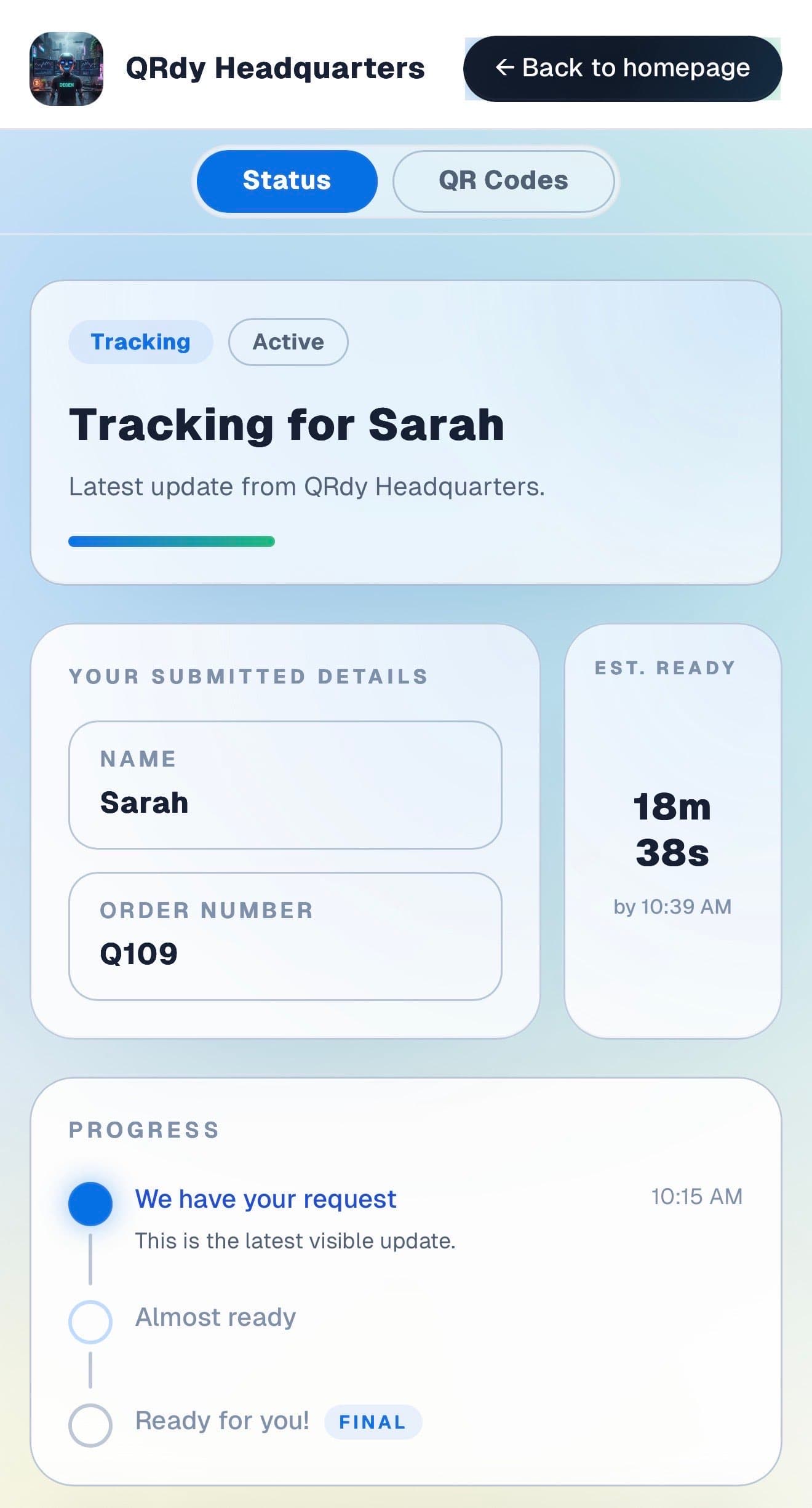
Customers want to know what is happening to their device and when it will be done. The live page gives them that information throughout the repair without anyone needing to stop and make a call.

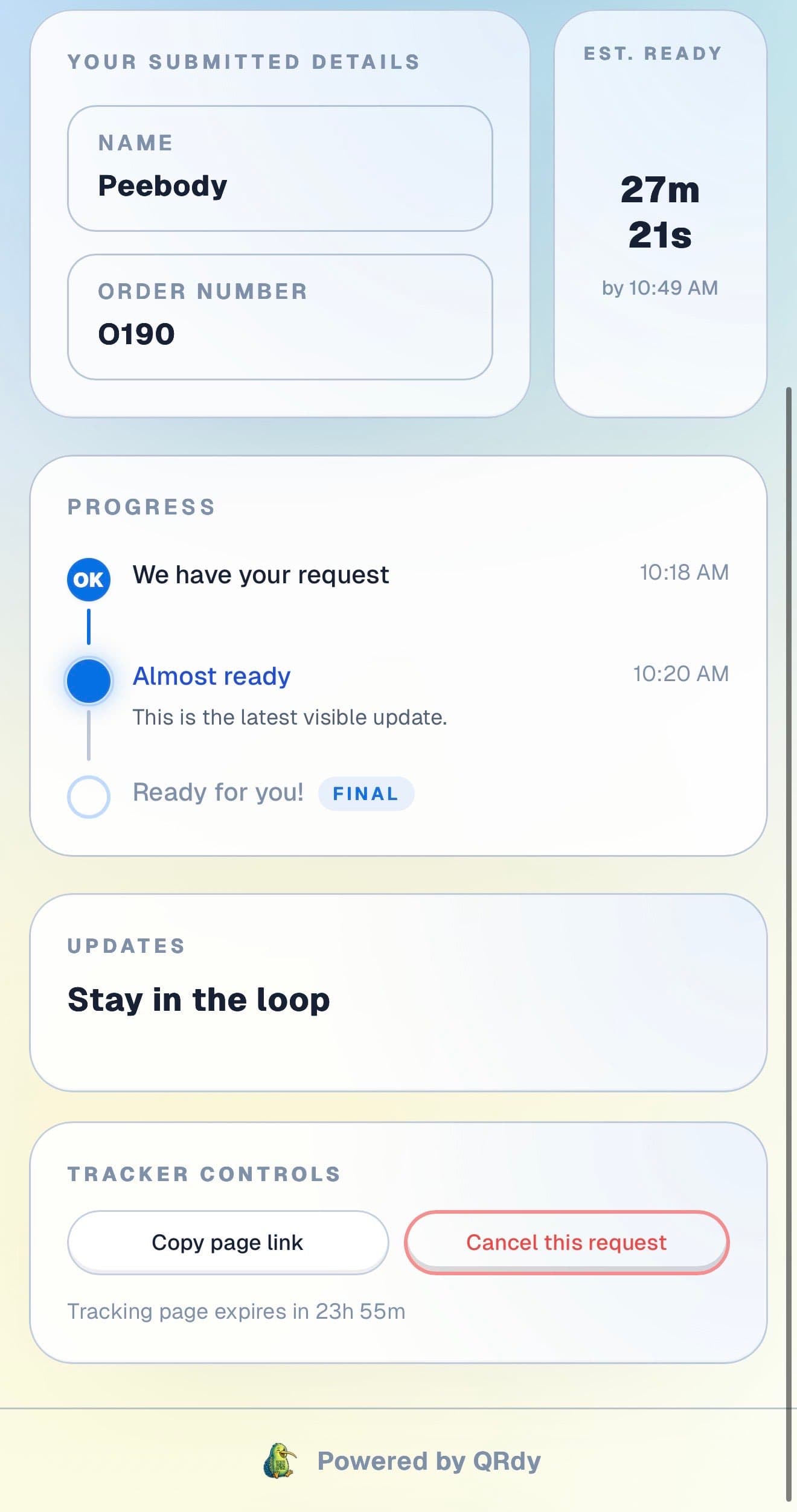
Customer tracking page showing the current job status, submitted details, and ETA.

Active tracker

The customer sees the current repair status at a glance

The live page shows the current repair stage, the device on file, and an estimated ready time so customers can plan their day rather than hovering near the shop.

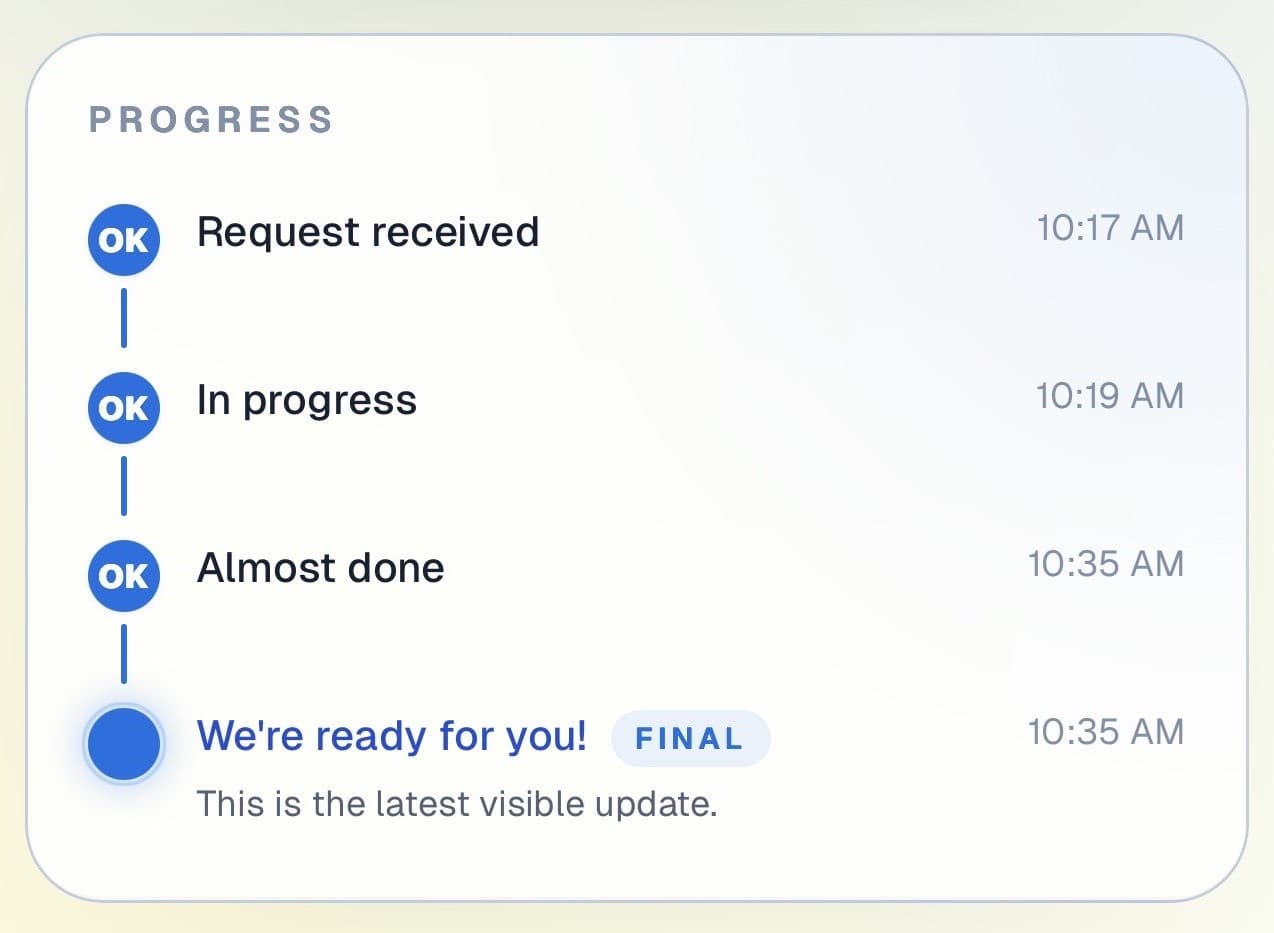
Customer progress timeline showing completed steps and the current live update.

Progress timeline

Each repair stage is visible and easy to follow

Customers can see which stages are done and where the repair currently sits. That transparency is especially useful for longer jobs with parts waiting or complex diagnostics.

Progress timeline showing each stage with timestamps.
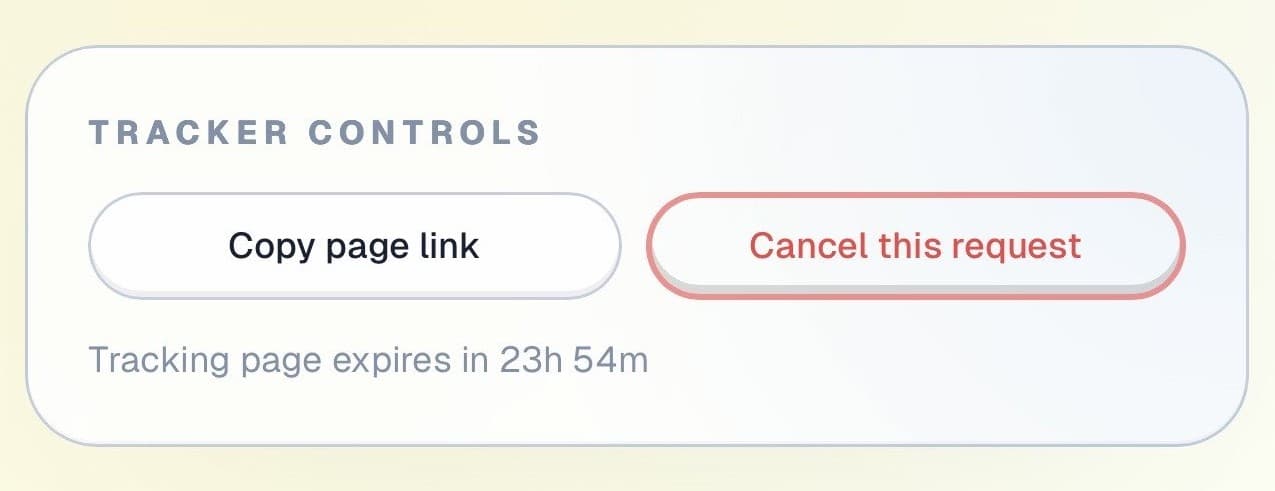
Tracker controls showing copy link and cancel request actions.

Controls and sharing

The page is useful throughout the repair

Customers can copy their tracking link to check back later, cancel if they change their mind, and review the status at any time, all without calling the shop.

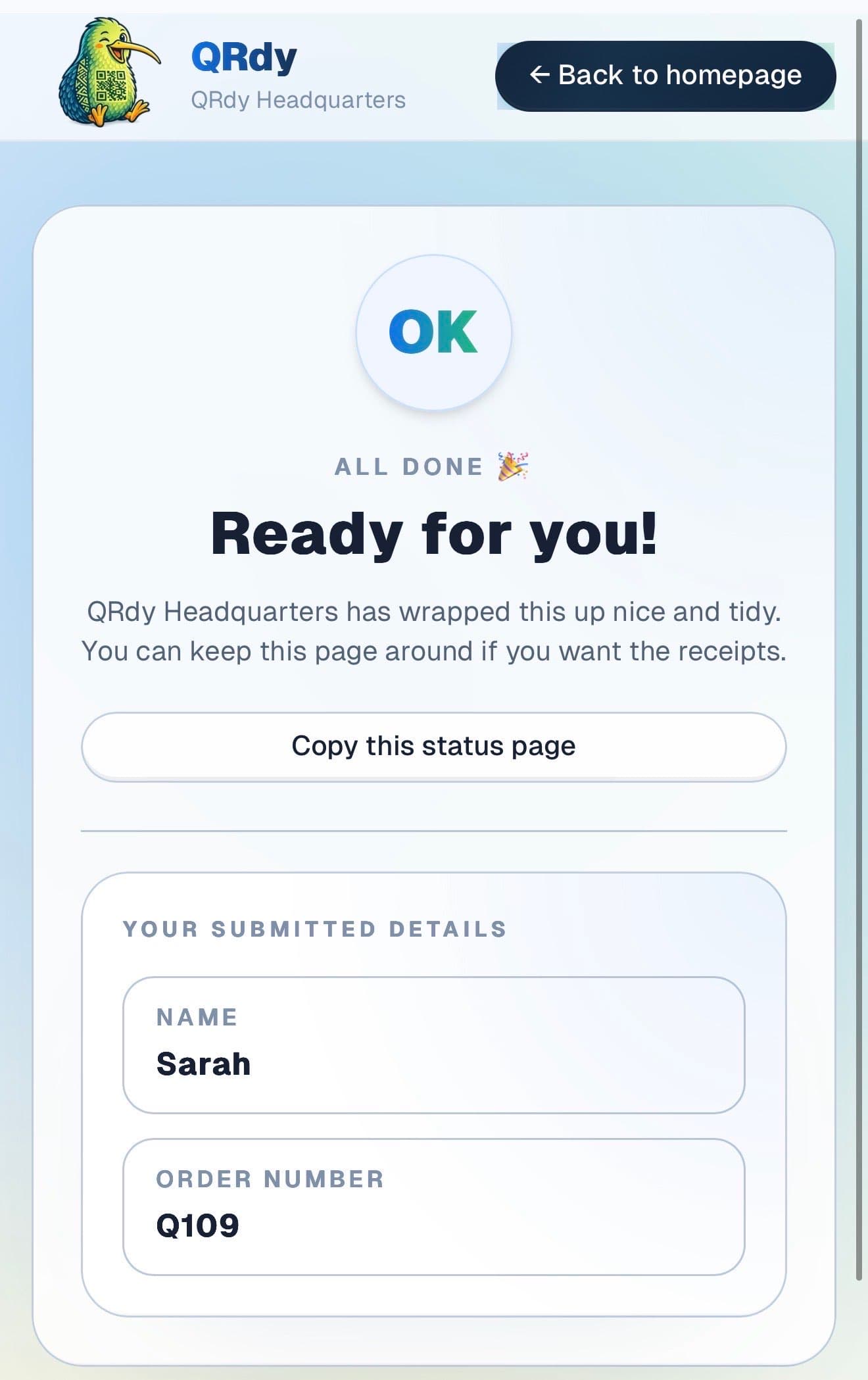
Completed tracker showing the finished state and a link the customer can keep.

Completed state

Fixed devices look fixed

When the repair is done and tested, the page switches to a clear pickup state so the customer knows exactly when to come in and collect.

Custom to your workflow

These stage names are examples, not a fixed template

QRdy lets you name each repair stage to match how your shop actually works. You might use received, diagnosing, parts ordered, repair in progress, testing, and ready, or a simpler flow for faster jobs.

Rename stages to match your repair process
Keep it simple for quick screen replacements
Add stages for complex or multi-day repairs
Give customers confidence without the calls

Why QRdy

Simple for your team. Reassuring for your customers.

  • No app download for customers
  • Works on any phone with a browser
  • Staff tap one button to update status
  • Customers get a live page, not a phone call
  • Set up and running in under 60 seconds
  • Push and WhatsApp notifications on paid plans

Common questions

Frequently asked questions

How does QRdy work for a phone repair shop?

When a customer drops off their device, they scan a QR code at your counter and get a live status page linked to their specific repair job. As your technician works through each stage, received, diagnosing, parts ordered, repair in progress, testing, ready, one tap updates the page. The customer sees every change on their phone in real time, from wherever they are. There is no need for them to call mid-repair to check progress, and no need for your team to stop work and answer the same question repeatedly throughout the day.

Will this reduce the number of customers calling to check on their repair?

Yes. The reason customers call a phone repair shop mid-repair is that they have no other way to know what is happening to their device. When every customer has a live page they can check at any time, that uncertainty disappears. Customers with a live page rarely call mid-job. Most phone repair shops see a significant reduction in inbound status calls within the first few days, freeing technicians to focus on the actual repairs rather than fielding the same question all day.

Do customers need an account or app to track their repair?

No. Customers scan the QR code at your counter and the live repair status page opens directly in their browser, no app download, no account, no login required. This is especially relevant for a phone repair shop, where customers are handing over their device and trusting you with it. A simple, frictionless check-in experience reinforces that your process is professional and transparent. The scan takes two seconds and the status page is live immediately.

Can I use QRdy for all repair types, not just phones?

Yes. QRdy works for any repair job where a customer drops off a device and wants to track progress, phones, tablets, laptops, gaming consoles, smartwatches, or any other electronics. You define the workflow stages in your dashboard and name them to match exactly how your shop operates. A phone screen replacement might use received, screen removed, new screen fitted, tested, ready. A laptop repair might add parts ordered and software reinstalled. Each job has its own live page regardless of job type.

No more anxiety calls. No more "just checking in" visits.

Get started free - no credit card, no software to install. Your first tracker is ready in under a minute.

Create a free tracker now

Running a business? Set up your business account

QR Status Updates for Phone Repair Shops | QRdy