Sports equipment rental

Gear ready to go. Customers ready to go.

Live hire status from booking to ready for pickup, no queuing at the counter.

No app for customers. Ready in 60 seconds.

At a glance

What QRdy does for a sports equipment rental shop

QRdy for sports equipment rental gives every customer a live status page for their hire booking from confirmed to gear ready. A single QR code links each booking to a page your team updates as the equipment is prepared, so customers arrive knowing their gear is ready to go.

Why it matters

Gear ready on time so activities start on time

Sports hire customers often have a specific activity starting at a fixed time. QRdy gives every booking a live page so customers know their gear is ready before they arrive, rather than queueing at the counter while their session ticks away.

Reduce counter queues at peak hire times
Keep customers informed as gear is prepared and checked
Make pickup timing accurate for activity-based hires
Use your own hire stage names

The real problem

Customers are not just waiting for gear. They have an activity booked that starts at a specific time.

Sports equipment rental customers often have tight timing, a ski holiday that starts at a specific time, a kayak tour with a guide meeting point, a round of golf with a tee time. When hired gear isn't ready on arrival, the customer's experience starts badly before the activity has even begun. QRdy gives every hire booking a live status page so customers know exactly when their gear is ready. Your team taps through preparation stages, booking confirmed, being cleaned and fitted, ready for pickup, and the customer's page updates as each step is completed. Whether they're arriving at a ski hire shop first thing in the morning or picking up paddleboards for an afternoon session, they can check readiness before they arrive and walk straight in to collect rather than waiting at the counter. Less queuing at the start of their activity means a better first impression every time.

How it works

From hire confirmed to gear ready to go

The customer confirms their hire and scans the QR. Your team taps through each preparation stage and the customer checks the page before arriving so they can walk straight in and collect.

1

Hire confirmed

Customer books. Live tracking page sent.

No app. No account. Tracking is live from the moment the hire is confirmed.

2

Gear being prepared

Equipment selected, fitted, and checked.

Customers who can see gear being prepared stop queuing at the counter and wait until it is genuinely ready.

3

Ready for pickup

Customer notified. Come to the counter.

Especially useful during peak hire periods when multiple bookings are being prepared at once.

4

Returned

Hire closed when gear comes back.

A straightforward close with no loose ends on either side.

What your hire shop and customers see

A live hire page for customers and a clear booking view for your team

The dashboard shows your team every active hire and its preparation stage. The live page gives each customer real-time readiness status so they arrive knowing their gear is waiting for them.

QRdy dashboard showing active jobs, current step, next step, and one-tap update buttons.

Dashboard

A simple workspace for the team preparing and handing over gear

Staff can see every active booking, update each preparation stage with one tap, and let the page handle customer communication while they get the gear ready.

Customer-facing live page

Give customers clear updates from hire confirmed to gear ready

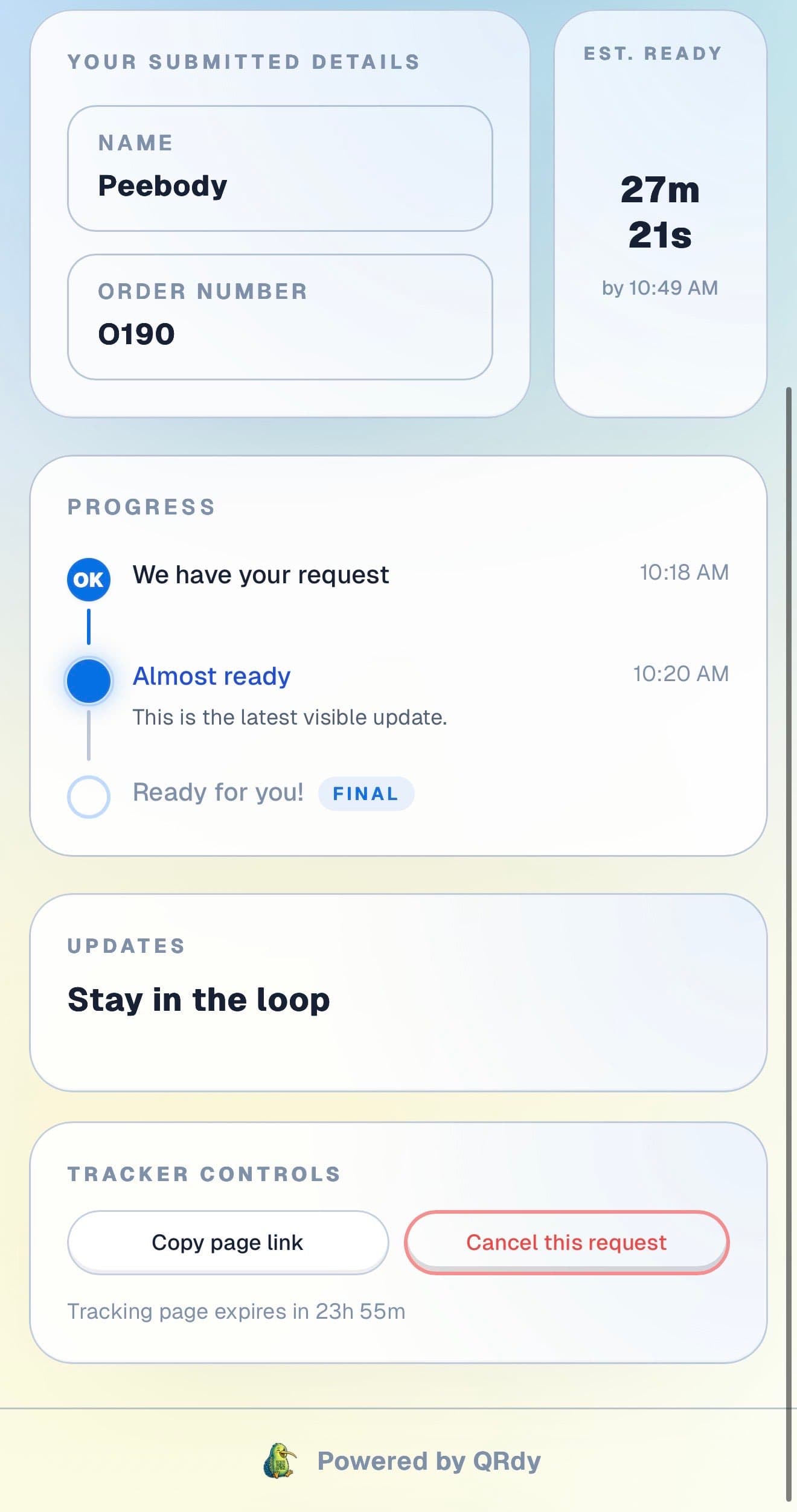
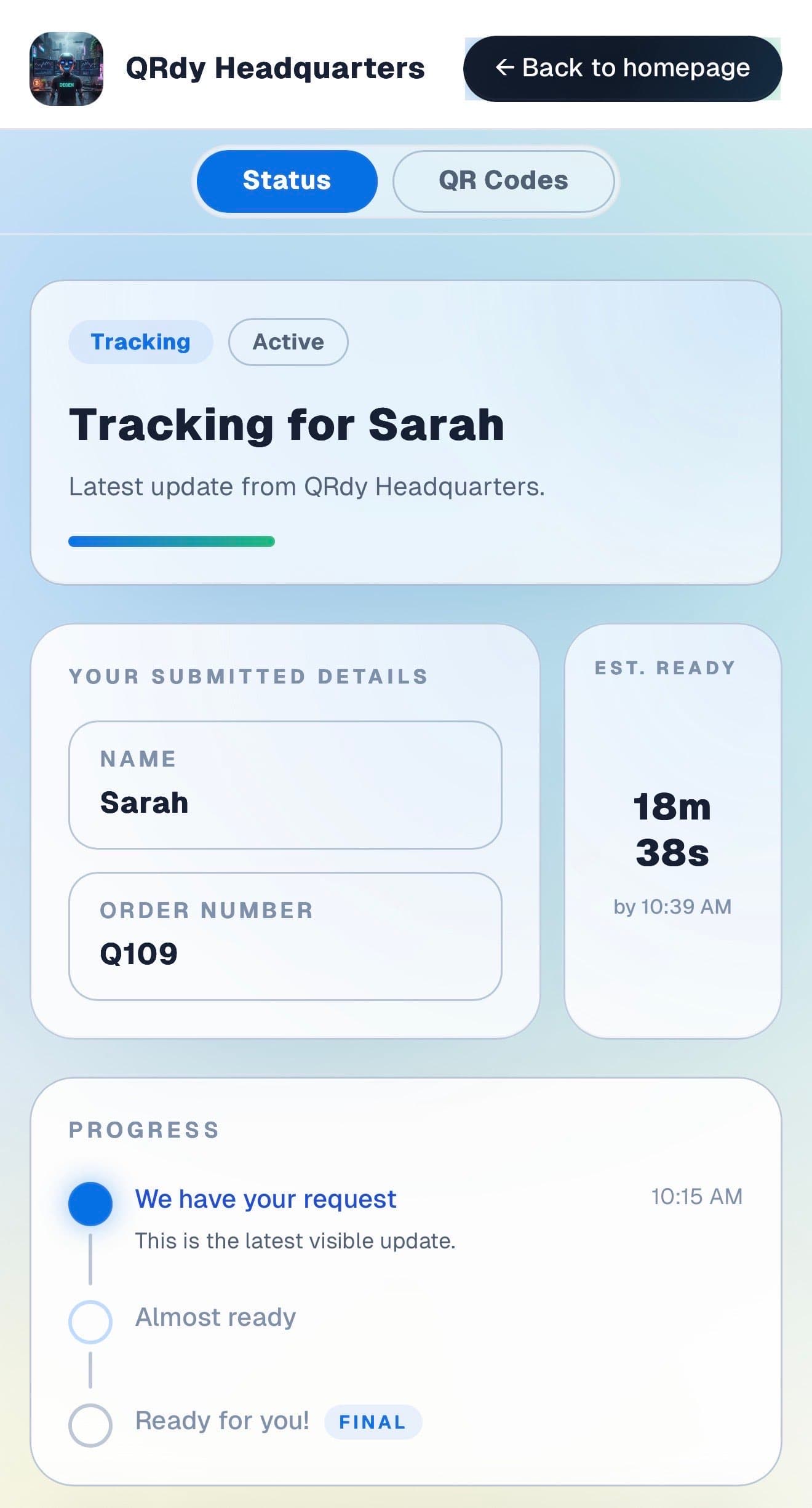
Customers want to know their gear is ready before they arrive, especially when an activity is starting soon. The live page gives them that without anyone needing to call.

Customer tracking page showing the current job status, submitted details, and ETA.

Active tracker

The customer sees their hire status before they arrive

The live page shows the current preparation stage and booking details so customers know whether to come straight in or give the team a few more minutes.

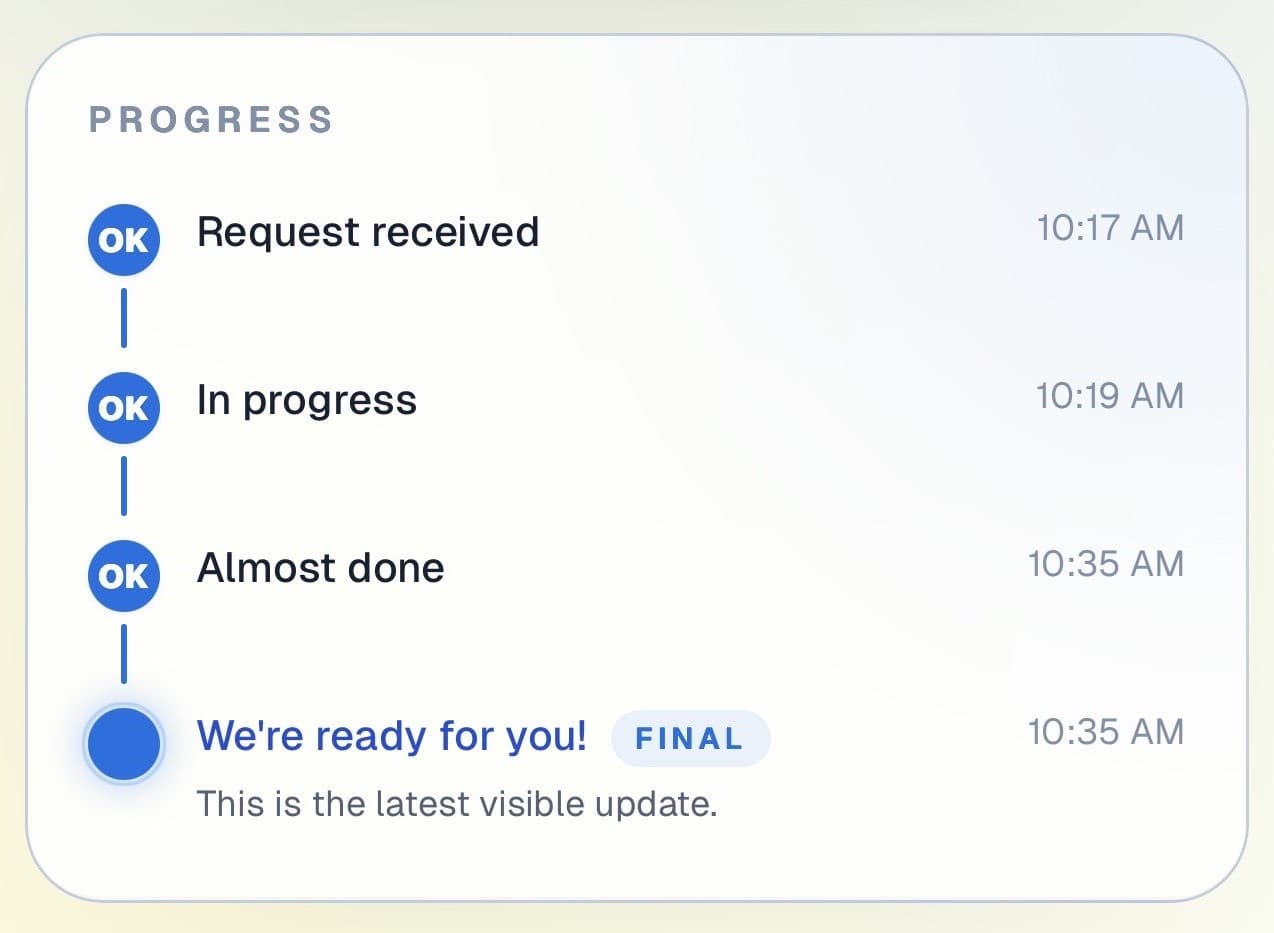
Customer progress timeline showing completed steps and the current live update.

Progress timeline

Each preparation stage is visible in real time

Customers can see how their hire has progressed from confirmed through to gear selected and ready. Useful for pre-booked and walk-in hires alike.

Progress timeline showing each stage with timestamps.
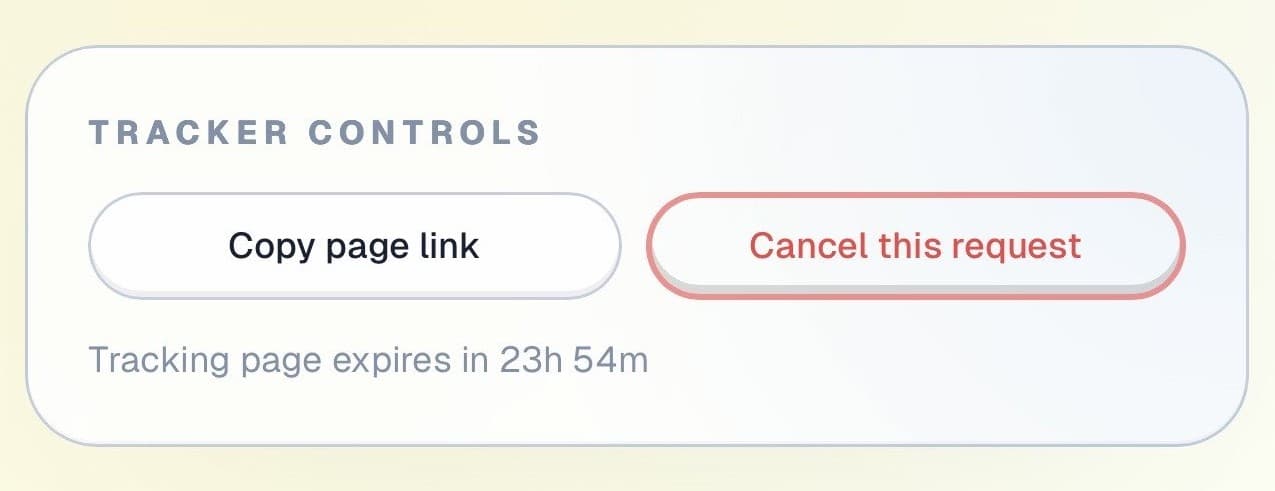
Tracker controls showing copy link and cancel request actions.

Controls and sharing

The page stays useful throughout the hire

Customers can copy their tracking link and cancel if plans change, all without joining the queue at the counter.

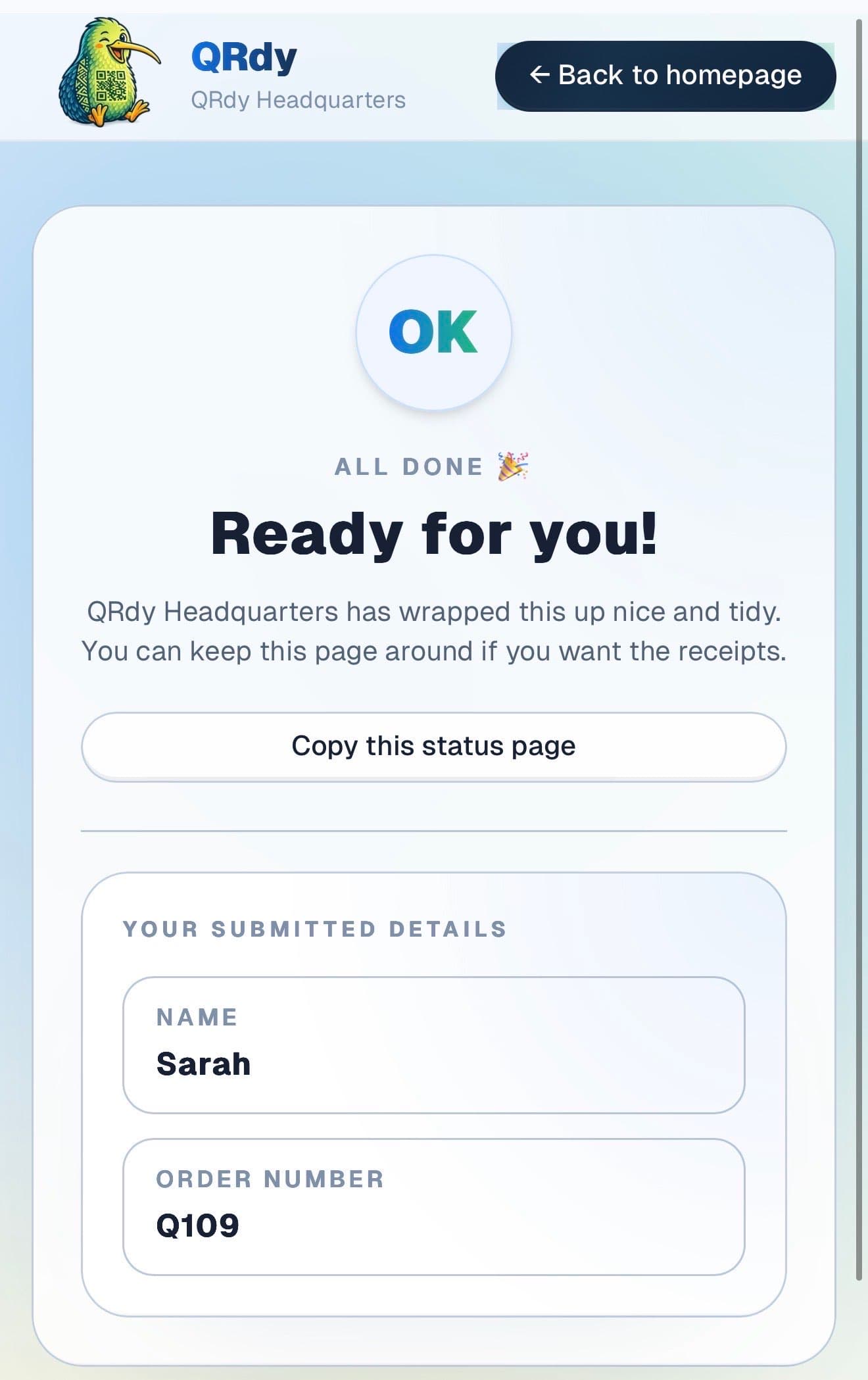
Completed tracker showing the finished state and a link the customer can keep.

Completed state

Returned hires look closed

When the gear is returned and checked in, the page switches to a clear completed state and the hire record is clean.

Custom to your workflow

These stage names are examples, not a fixed template

QRdy lets you name each stage to match how your hire operation works. A ski shop might use hire confirmed, boots being fitted, gear selected and ready, and returned. A surf hire might keep it to two or three stages.

Rename stages to match your hire flow
Keep it simple for quick gear handovers
Add stages for fitting, sizing, or multi-piece kit preparation
Make arrival timing smooth for activity-based hires

Why QRdy

Simple for your team. Reassuring for your customers.

  • No app download for customers
  • Works on any phone with a browser
  • Staff tap one button to update status
  • Customers get a live page, not a phone call
  • Set up and running in under 60 seconds
  • Push and WhatsApp notifications on paid plans

Common questions

Frequently asked questions

How does QRdy work for sports equipment rental?

Customers book their gear, scan a QR code at your counter, and get a live status page showing when their equipment is ready for pickup. As your team prepares the hire, booking confirmed, equipment selected, fitted and checked, ready to go, one tap updates the page. Customers see readiness in real time without calling to ask. For busy rental periods, ski season, summer, long weekends, this significantly reduces the queue of people waiting at the counter asking if their booking is ready.

Do customers need to download an app?

No. Customers scan the QR code and the live status page opens in their browser immediately, no app download, no account, no signup. Sports rental customers are often in holiday mode, arriving with limited patience for admin. QRdy keeps the check-in to a scan and a name entry, which takes a few seconds and requires no technical knowledge beyond pointing a phone camera at a code.

Can it handle walk-in and pre-booked rentals?

Yes. QRdy handles walk-in hires and advance bookings with equal ease. For walk-ins, create the job when the customer arrives and update the status as the gear is prepared. For pre-booked rentals, create the job when the booking is confirmed so customers have a live page from day one. On busy days when multiple bookings are being prepared simultaneously, each customer tracks their own gear status independently without needing to queue at the counter.

Less queuing. More doing.

Get started free - no credit card, no software to install. Your first tracker is ready in under a minute.

Create a free tracker now

Running a business? Set up your business account