Tattoo studios

Walk-ins don't need to wait at the counter.

Give every client a live page showing where they are in the queue, so they can grab a coffee and come back when it's their turn.

No app for customers. Ready in 60 seconds.

At a glance

What QRdy does for a tattoo studio

QRdy for tattoo studios gives walk-in clients a live queue page from the moment they check in. They scan a QR code at the counter, see their queue position, and can wait outside or nearby. When their artist is ready, the page updates instantly, no interruptions, no hovering in the studio.

Why it matters

A calmer studio floor and fewer interruptions to your artists

Walk-in clients in a tattoo studio need to know whether to wait or come back later. QRdy gives every walk-in a live queue page so they can wait confidently nearby, without hovering in your studio while your artists are mid-session.

Keep walk-ins informed without interrupting artists
Let clients wait outside and come back on cue
Reduce hovering and front-counter check-ins
Use your own queue stage names

The real problem

Walk-ins are not just waiting for a slot. They are waiting without any real information.

Tattoo studios run on creative flow, and walk-in queues can disrupt that. A client hovers in the lobby while you're mid-session. They interrupt to ask how much longer. You lose your concentration. They get restless and leave. All of this is avoidable. QRdy gives every walk-in a live queue page the moment they check in. They enter their name, note their design idea, and get a page they can check from anywhere nearby. When an artist wraps up the previous session, one tap updates the client's status. They know to come back without any interruption to the studio. Walk-ins who would have left after twenty minutes now wait confidently because their phone is keeping them in the loop. You keep your focus. Your client arrives ready when their turn actually comes.

How it works

From walk-in to in the chair

The client scans at the counter, notes their design idea, and their live queue page is open before they step outside. Your artist taps through each stage and the client comes back when the page tells them to.

1

Walk-in logged

Client scans the QR and enters their name and design idea.

No app. No account. Their spot is logged and visible immediately.

2

Consultation up next

Artist confirms, client gets notified on their page.

Clients waiting nearby get the signal without anyone needing to step outside.

3

In the chair

Session in progress. Page shows the live status.

Transparent status helps everyone waiting manage their time more confidently.

4

Done

Marked complete. Client can head back to pay and aftercare.

A clean close to every appointment, without any front-counter confusion.

What your studio and clients see

A live queue page for walk-ins and a cleaner workflow for your artists

The dashboard shows your team who is in the queue and what stage each client is at. The live page gives each walk-in their own real-time view without them needing to linger at the counter.

QRdy dashboard showing active jobs, current step, next step, and one-tap update buttons.

Dashboard

A clear, simple workspace for the artist managing the floor

Artists can see every active walk-in, move clients through each stage with one tap, and keep sessions running without interruption from the waiting area.

Customer-facing live page

Give walk-ins clear updates from check-in to in the chair

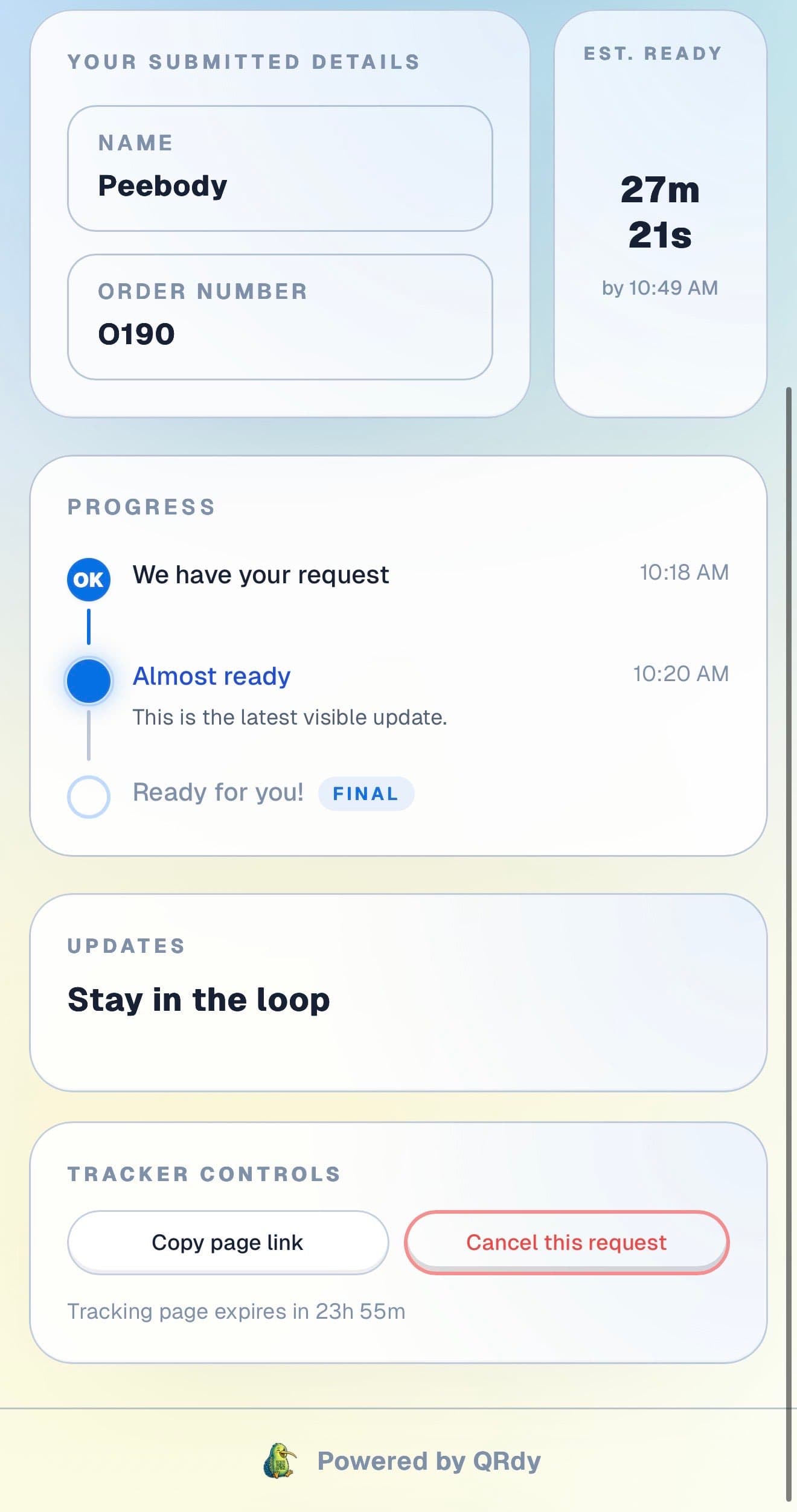
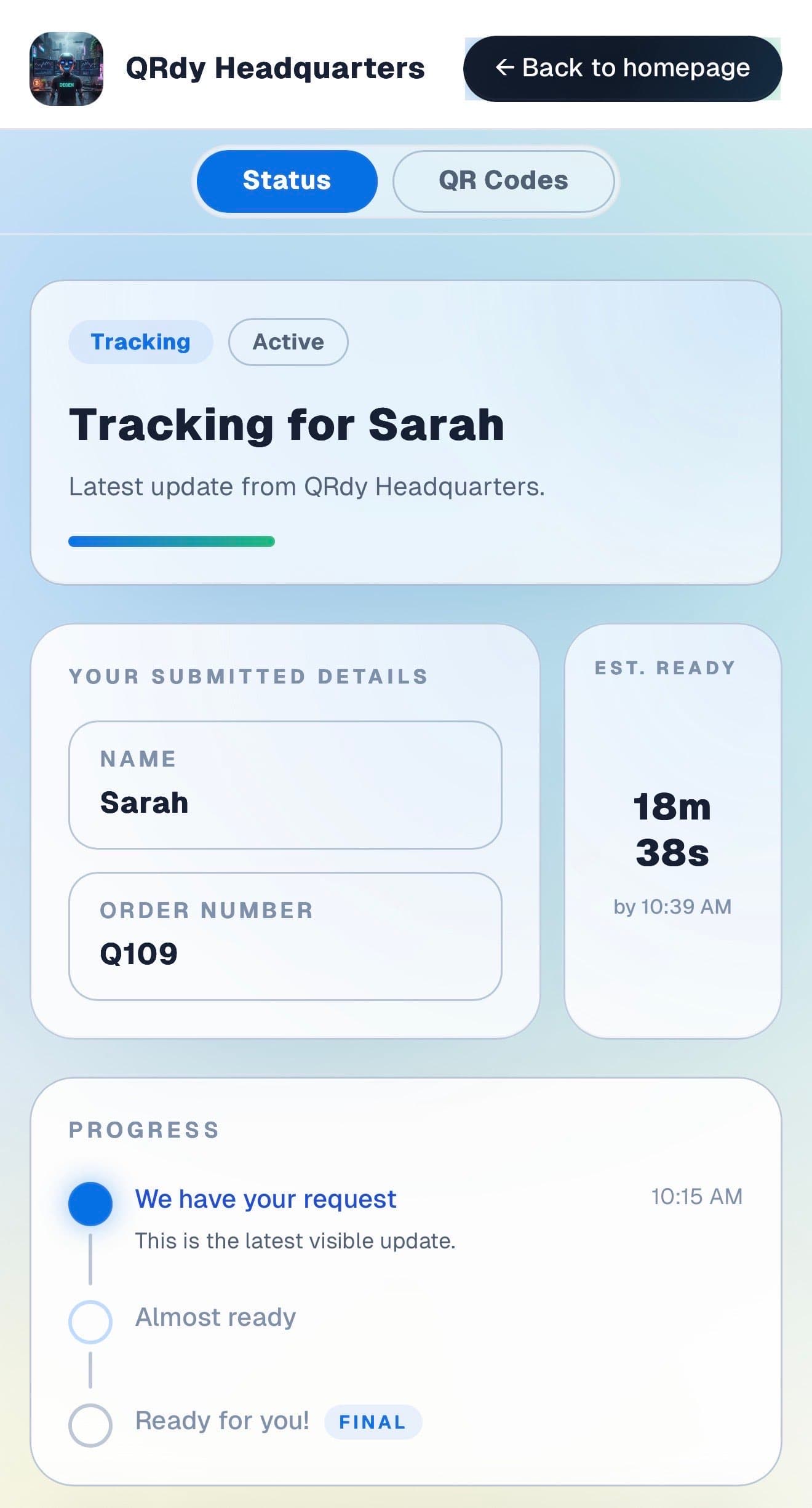
Walk-in clients want to know their position and when they will be seen. The live page keeps that information visible and accurate so they can wait comfortably without checking in at the counter.

Customer tracking page showing the current job status, submitted details, and ETA.

Active tracker

The client sees their queue position at a glance

The live page shows the current queue stage, the client name on file, and an estimate of when they will be called so they can wait nearby without anxiety.

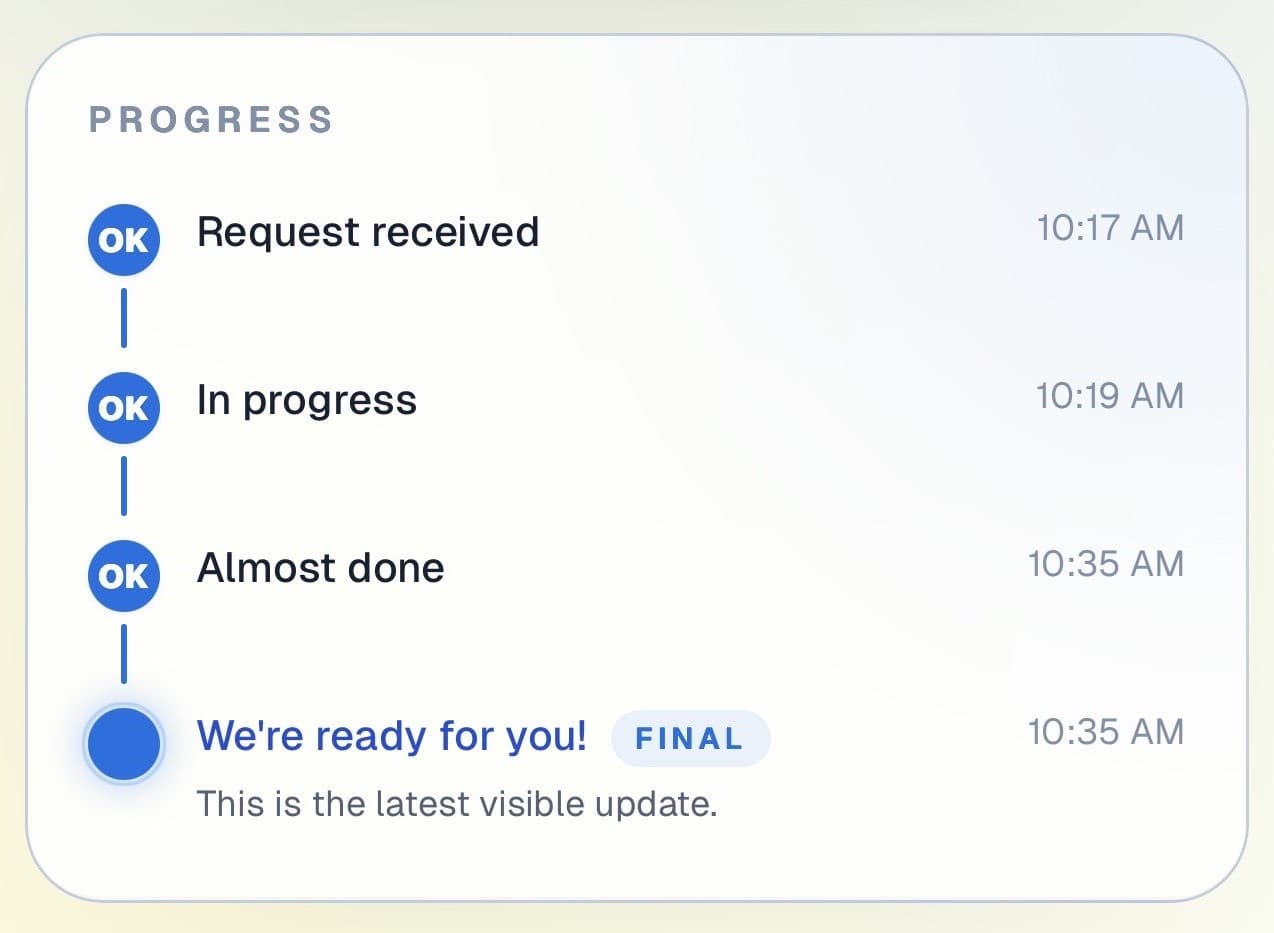
Customer progress timeline showing completed steps and the current live update.

Progress timeline

Each queue stage is visible and easy to follow

Clients can see which stages are done and where the queue currently sits. That clarity helps them decide whether to grab food, browse nearby, or head back to the studio.

Progress timeline showing each stage with timestamps.
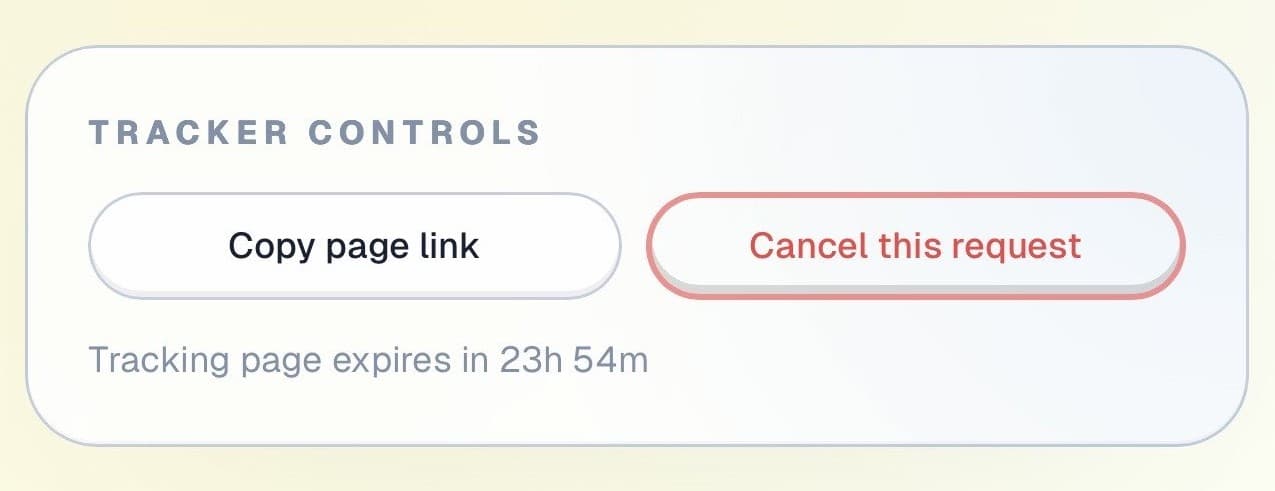
Tracker controls showing copy link and cancel request actions.

Controls and sharing

The page is useful beyond the waiting area

Clients can copy their queue link, cancel their spot if plans change, and check back at any time, all from the same page without needing to call or return to the counter.

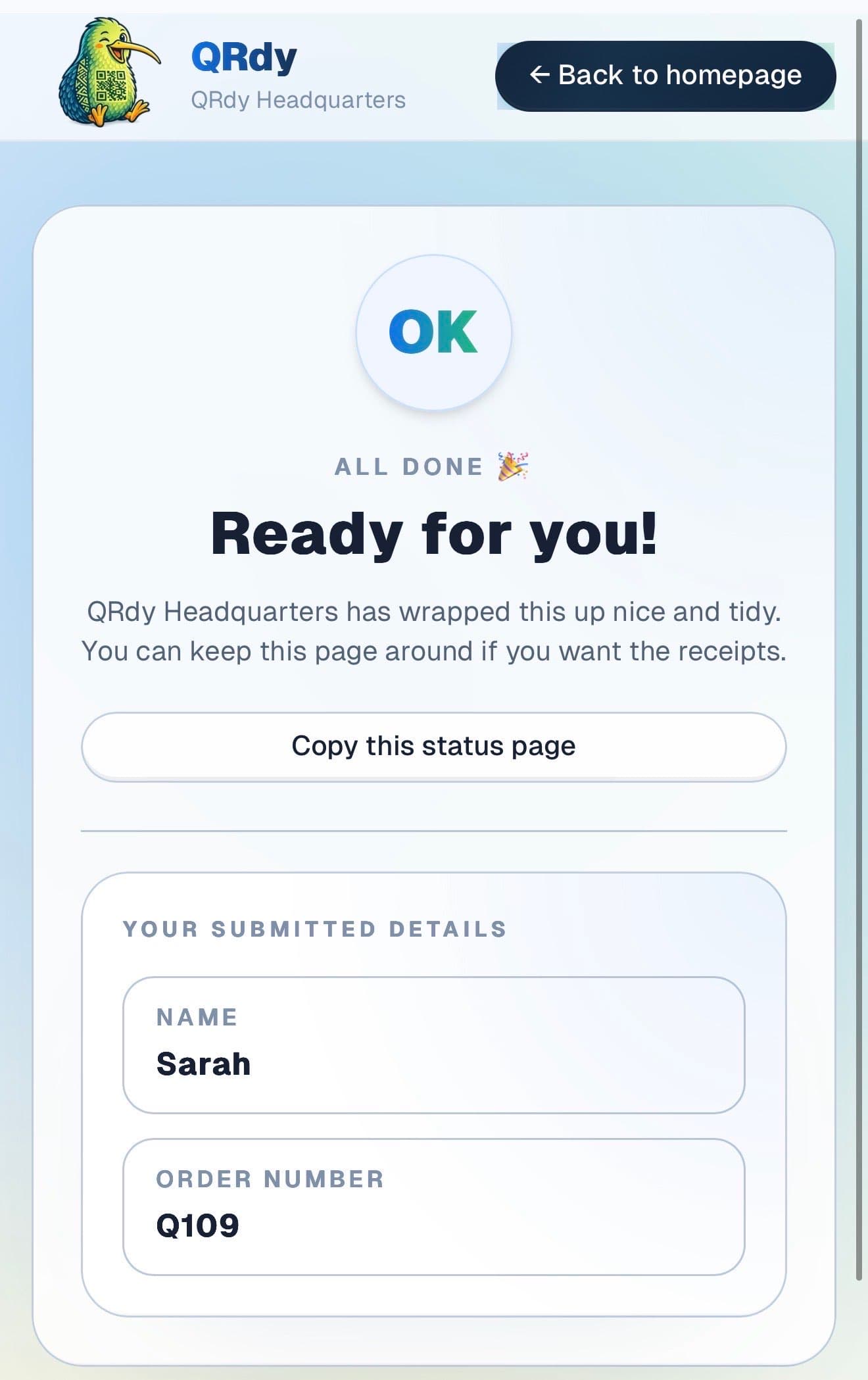
Completed tracker showing the finished state and a link the customer can keep.

Completed state

Finished sessions look finished

Once the session is done, the page updates to a clear completed state so the client knows to head back in for payment and aftercare without any confusion.

Custom to your workflow

These stage names are examples, not a fixed template

QRdy lets you name each queue stage to match the way your studio operates. You might use walk-in logged, consultation next, session in progress, and done, or a different sequence that fits your workflow.

Rename stages to match your studio process
Keep it simple for quick single-session jobs
Add stages for consultations or multi-session pieces
Give walk-ins confidence without creating admin

Why QRdy

Simple for your team. Reassuring for your customers.

  • No app download for customers
  • Works on any phone with a browser
  • Staff tap one button to update status
  • Customers get a live page, not a phone call
  • Set up and running in under 60 seconds
  • Push and WhatsApp notifications on paid plans

Common questions

Frequently asked questions

How does QRdy work for a tattoo studio?

Walk-ins scan a QR code at your counter and get a live queue page showing their position. Your artist taps through each stage, waiting, consultation, stencil, in progress, finishing, done, and the client sees every update on their phone in real time. Clients can wait nearby, grab food, or explore the area and return only when the page shows they are next. No hovering in a crowded studio, no repeated check-ins at the front desk, and no artist interrupted mid-work to give a status update.

Do clients need to download an app?

No. Clients scan the QR code and their browser opens the live status page directly, no app download, no account, no signup. This matters for walk-ins especially, who are less likely to go through a registration process before joining a queue. The experience is intentionally frictionless: scan, enter your name, and your live queue page is immediately visible. Works on any smartphone with a camera and a browser.

Can clients wait somewhere else while they're in the queue?

Yes. This is one of the most practical advantages for a tattoo studio. Clients scan in, see they are third in the queue, and head out to get food, walk around, or wait in the car. Their phone updates in real time as the queue moves. When they are next, they come back, not a minute too early, not ten minutes late. Your studio stays less crowded, your artists can work without interruption, and the whole experience feels more relaxed for everyone.

No app. No missed walk-ins. Ready to go in 60 seconds.

Get started free - no credit card, no software to install. Your first tracker is ready in under a minute.

Create a free tracker now

Running a business? Set up your business account